
Introduction
n8n freelancers earn $800–$2,500 per project, with retainers adding $99–$149/month per client on top. A solo freelancer with five retainer clients and two active projects clears $3,000–$5,000/month within six to twelve months of consistent work. This guide covers five specific methods to monetize n8n skills in 2026 — freelance services, template sales, automation arbitrage, agency model, and micro-SaaS — with real income figures, where to find clients, and what to build first.
The global workflow automation market sits at $23.77 billion in 2025 and is projected to reach $37.45 billion by 2030. Meanwhile, 76% of businesses say they’re actively looking to automate repetitive processes but don’t have the in-house skills to do it.
n8n sits in an interesting spot in this market. It’s not the most beginner-friendly tool, and it’s not trying to be. What it offers instead is flexibility and economics that Zapier and Make simply can’t match at scale — which is exactly why businesses are willing to pay for people who know how to use it.
This guide covers how to make money with n8n automation in 2026: five specific methods, realistic income numbers, where to find clients, and what to build first.

What Is n8n and Why It’s Different From Zapier and Make
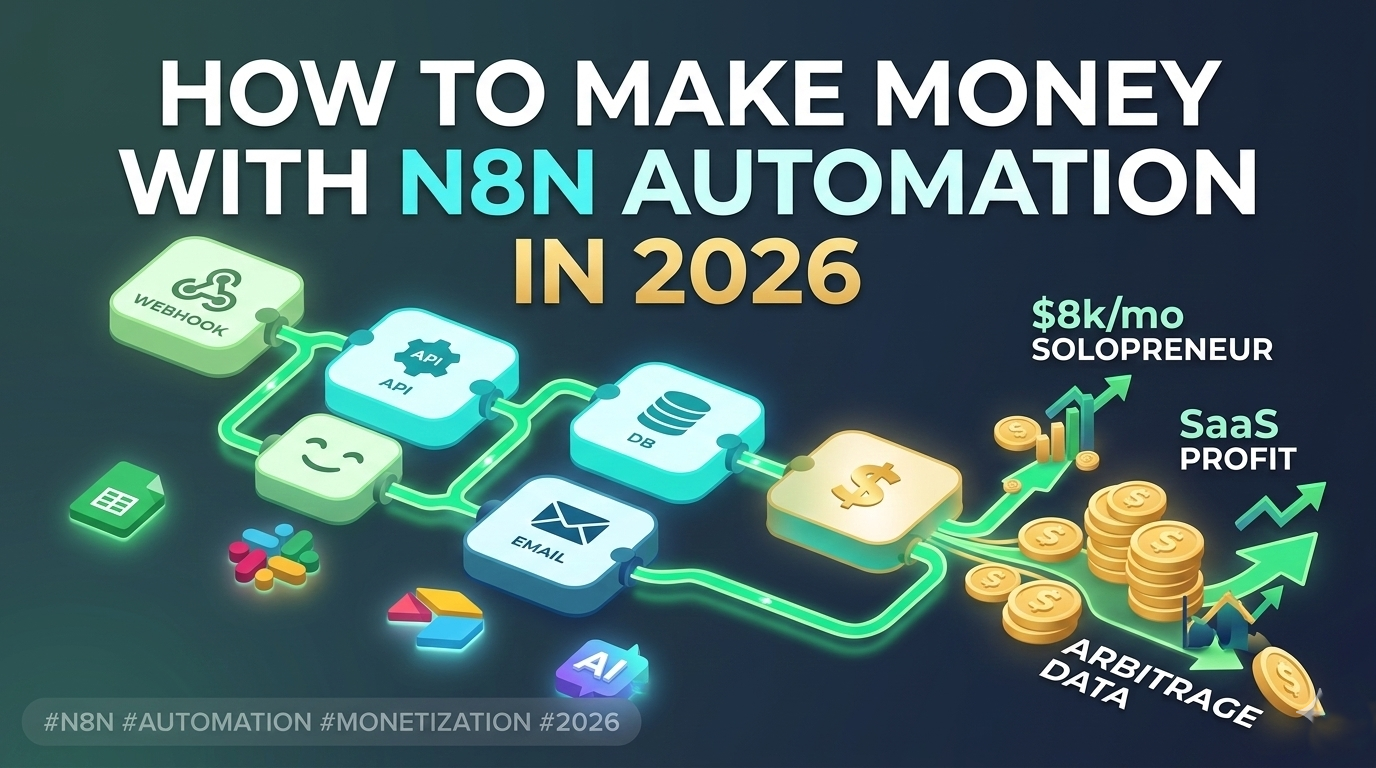
For anyone who hasn’t used it: n8n is a workflow automation platform that connects apps, APIs, and services through a visual node-based editor. You build workflows — sequences of automated actions triggered by events — without writing full applications. A workflow might pull leads from a form, enrich them via an API, add them to a CRM, and send a Slack notification, all without manual intervention.
Open-Source + Self-Hosted = A Different Economics
This is the core differentiator. n8n is open-source and can be self-hosted, which means the pricing model is fundamentally different from Zapier. On Zapier, a complex workflow with 10 steps costs 10 tasks per execution — and task limits add up fast on high-volume automations. On n8n, the same workflow counts as one execution regardless of complexity.
n8n raised a $55M Series B in 2024 at a $1.5 billion valuation. The cloud version starts at €24/month. Self-hosted infrastructure runs $200–$500/month in real costs depending on setup — but for agencies or freelancers running automations for multiple clients, that cost structure is dramatically more favorable than per-task pricing.
Flowmondo’s 2026 comparison documented what this means in practice: Vodafone saved £2.2 million using n8n, and Delivery Hero automated 200+ hours of manual work per month. These aren’t small experiments — they’re production systems that would be prohibitively expensive to run on Zapier at the same volume.
n8n vs Zapier vs Make — When n8n Wins
The honest comparison: Zapier is the easiest to start with and has the widest app library. Make (formerly Integromat) sits in the middle — more flexible than Zapier, better visual design than n8n. n8n wins on three specific dimensions: complex multi-step workflows, AI integration (70 AI nodes with native LangChain support as of n8n 2.0 in December 2025), and cost at scale.
For freelancers, this matters because it defines the client profile. n8n is the right tool for businesses that have outgrown Zapier’s pricing or need custom logic that Make can’t handle. That’s a specific and underserved segment.
How Much Technical Knowledge Do You Need
Less than most people assume. n8n has a visual editor — you’re connecting nodes, not writing code. Basic JavaScript helps for transforming data between steps, and understanding APIs (what they are, how authentication works) is genuinely necessary. Someone with a spreadsheet-and-formulas background can learn enough n8n to take on real client projects within four to eight weeks of consistent practice.
How Much Can You Make with n8n: $2K–$8K/Month Realistic Ceiling
Realistic numbers before anything else.
Real Figures Without the Hype
The most honest public case study comes from a Medium author who spent four months actively trying to build n8n freelance income: $4,200 total over that period, with monthly earnings ranging from $800 to $2,100. No consistent upward trajectory — some months were slow, some had multiple projects. This is probably the most accurate baseline for someone starting from zero with no existing client network.
Mpire Solutions documented specific project pricing from working freelancers: $800 setup fee plus $99/month retainer for a basic CRM automation, $1,200 one-time plus $149/month for an e-commerce order management workflow, $2,500 plus retainer for a retail inventory system. These are entry-to-mid-level projects, not enterprise contracts.
HostItSmart’s 2026 survey of n8n freelancers put hourly rates at $25–$100 depending on complexity and client size. Upwork lists automation as one of the five fastest-growing freelance skill categories. The n8n income ceiling for a solo freelancer doing project work is roughly $5,000–$8,000/month before it becomes a capacity problem rather than a demand problem.
Freelancer vs Agency vs Micro-SaaS Ceiling
Solo freelancer doing one-off projects: $2,000–$6,000/month is achievable within six to twelve months with consistent client acquisition. Adding retainers (maintenance, monitoring, updates) turns project income into recurring revenue. A small agency model — two to three people, standardized service packages — can reach $15,000–$30,000/month. Micro-SaaS built on n8n has a different ceiling entirely, but also a different risk profile and timeline.
Time to First Money
Realistically: two to four weeks to build enough skill to take on a simple project, one to three months to land the first paying client if starting with no network. The fastest path is warm outreach to businesses you already have a relationship with, not cold pitching on Upwork from day one.
Method 1 — Freelance Automation Services ($800–$2,500/Project)

This is the most direct path to n8n income and the one with the fastest feedback loop. You find a business with a manual process, build a workflow that automates it, charge for the setup and ongoing maintenance. No product to build, no audience to grow — just a skill and a client.
Who to Sell To
The best clients for n8n freelance work share a specific profile: they’re running manual processes that obviously waste time, they’ve heard of Zapier but either find it too expensive at their volume or too limited for what they need, and they have budget but not in-house technical staff. In practice this means small-to-mid-size businesses in real estate, e-commerce, marketing agencies, recruitment, and professional services.
Live Upwork postings in March 2026 illustrate the actual demand: a PR agency looking for an AI-powered reporting engine, a B2B company needing an account scoring system integrating Claude and Perplexity, a Dubai real estate firm automating enquiry management. These aren’t enterprise contracts — they’re exactly the kind of projects a solo n8n freelancer can handle.
What to Build
The workflows with the highest demand and clearest ROI for clients fall into four categories. CRM integrations — pulling leads from multiple sources into one system, scoring them, assigning them automatically. Email automation — sequences triggered by user behavior, follow-ups, re-engagement. AI agents — workflows that use LLMs to process, classify, or respond to data without human intervention. Reporting automation — pulling data from ad platforms, analytics tools, and spreadsheets into a single dashboard on a schedule.
The last category is particularly relevant for the affiliate marketing and media buying segment. Automating Google Ads and Meta reporting into a Slack message or Google Sheet every morning is a $500–$800 project that takes an experienced n8n user a few hours to build and saves the client several hours a week indefinitely.
Where to Find Clients
Three channels work consistently. Upwork and Fiverr for inbound — Upwork favors profiles with completed jobs and specific skill tags, so the first one or two projects may need to be priced aggressively to build reviews. LinkedIn outreach targeting operations managers and marketing directors at small agencies — not generic cold messages, but specific observations about a process they’re likely doing manually. And warm outreach to existing contacts — anyone who runs a business and has mentioned repetitive admin work is a potential first client.
UseFreelance’s 2026 analysis of freelance platform data found demand for AI-related automation skills up 27% year-over-year on Upwork, with automation in the top five fastest-growing categories on Fiverr. The market is there — the bottleneck is positioning, not demand.
How to Price
The retainer model outperforms one-off project pricing almost immediately. Mpire Solutions’ data from working n8n freelancers shows a consistent structure: $800–$2,500 setup fee depending on complexity, plus $99–$149/month for monitoring, maintenance, and small updates. From the client’s perspective, the retainer is cheap insurance — if the workflow breaks or an API changes, they’re covered. From the freelancer’s perspective, five retainer clients at $149/month is $745 in recurring revenue before any new project work.
Hourly rates for n8n freelance work run $25–$100 depending on complexity and client size. For project-based pricing, the practical formula is: estimate hours, multiply by your target hourly rate, add 30% for revisions and communication overhead.
Mistakes to Avoid
Three errors that come up repeatedly in the n8n community. Hardcoding API keys directly into workflows instead of using n8n’s credential manager — this becomes a security and maintenance problem as soon as a client needs to rotate a key. Taking on projects that require deep custom code before having the JavaScript fundamentals to support them — the visual editor handles 80% of use cases, but complex data transformations require real scripting. And underpricing setup fees to win projects without including a retainer — one-off projects create a feast-or-famine income pattern that retainers solve
Method 2 — Sell n8n Workflow Templates ($10–$500 Each)
Selling templates is the closest thing to passive income in the n8n ecosystem — you build a workflow once, package it, and sell it repeatedly. The ceiling is lower than freelance services, but so is the ongoing time investment. For someone who has already built workflows for clients, turning those workflows into sellable templates is a natural next step with minimal additional effort.
Where to Sell
Four platforms worth knowing. The n8n Creator Hub is the official marketplace — free to list, built-in audience of n8n users, but limited monetization options as of 2026. Gumroad is the most flexible option for independent sellers: you control pricing, delivery, and positioning, and the platform fee is manageable. Lemon Squeezy is a Gumroad alternative with better VAT handling for international sales. n8nmarket.com is a specialized marketplace for n8n, Zapier, and Make workflows — smaller audience than Gumroad but higher buyer intent since everyone there is specifically looking for automation templates.
The n8n community’s honest assessment, based on forum discussions from October 2025: the Creator Hub builds visibility but Gumroad drives actual revenue. The practical approach is to list on Creator Hub for discovery and link to a Gumroad product for purchase.
What Templates Actually Sell
The workflows with the strongest commercial demand are those that solve a specific, recurring business problem that a non-technical buyer can immediately understand. Lead enrichment workflows that take a name and company from a form and automatically pull LinkedIn data, company size, and contact information. Invoice chasing sequences that follow up on unpaid invoices on a schedule without manual intervention. CRM sync workflows that keep two systems in sync without a dedicated integration tool. AI-powered email triage that categorizes and routes incoming messages by type.
Modexa’s October 2025 analysis of monetizable n8n templates identified B2B founders and marketing agencies as the primary buyers — people who understand the value of automation but don’t have the time or skill to build it themselves. The key technical element that separates a sellable template from a personal workflow is the use of n8n’s Set node as a field mapper — it makes the workflow configurable without requiring the buyer to understand the underlying logic.
Pricing on Gumroad ranges from $10 for simple single-purpose workflows to $300–$500 for complex multi-system automations. A bundle of related templates — a complete lead management system, for example — can justify $200–$400 as a package even if individual components would sell for $30–$50 each.
Zapier to n8n Migrations as a Premium Service
This is a separate opportunity that fits naturally alongside template sales. Businesses running expensive Zapier setups have a clear financial incentive to migrate — Zapier’s per-task pricing becomes painful at scale, and n8n’s execution-based model can reduce costs by 60–80% for high-volume workflows.
Ritz7’s 2026 analysis puts migration project fees at $5,000–$15,000 depending on the complexity of the existing Zapier setup. The pitch is straightforward: “Stop paying the task tax.” A business spending $500/month on Zapier can justify a $5,000 migration project on payback period alone. The workflow templates built during a migration project become reusable assets that can be sold to other businesses in the same industry.
How to Package a Template That Sells
The difference between a template that sells and one that doesn’t is almost entirely in the description, not the workflow itself. A product listing needs to answer three questions immediately: what problem does this solve, what apps does it connect, and what does the buyer need to set it up. A video walkthrough showing the workflow in action converts significantly better than screenshots alone.
Gumroad’s listing for a bundle of 4,000+ n8n templates at $30 demonstrates the volume end of the market — low price, broad appeal, minimal support expectation. The opposite approach — a single high-quality workflow at $200 with detailed documentation and a setup guide — generates more revenue per sale and attracts buyers who are more likely to become repeat customers or freelance clients.

Method 3 — Automation Arbitrage: Sell the Output, Not the Workflow
Freelance services and template sales both require the client to know they need automation. Automation arbitrage works differently: you build a workflow that produces something valuable — a lead list, a market research report, a daily competitor digest — and sell the output as a subscription, without the client ever seeing or knowing about the workflow behind it.
What Automation Arbitrage Actually Means
The concept is straightforward. Instead of charging for your time or your workflow, you charge for the result the workflow produces. A workflow that scrapes Google Maps, enriches the data with company information, and outputs a clean list of qualified local business leads takes a few hours to build and a few cents per run to operate. The same list, sold to a sales team on a weekly subscription basis, is worth $200–$500/month to the right buyer.
The workflow is the infrastructure. The product is the output. This separation is what makes automation arbitrage more scalable than either freelance services or template sales — the marginal cost of serving an additional subscriber is close to zero once the workflow is running.
What to Build and Sell
The outputs with the strongest commercial demand fall into three categories. Lead lists — curated, enriched, and segmented by industry, location, or buyer intent signal. Businesses in real estate, recruitment, and B2B sales pay consistently for qualified prospect data. Market research reports — daily or weekly competitive intelligence delivered to a Slack channel or inbox. Scalevise’s 2025 analysis documented exactly this use case: n8n scrapes competitor websites, combines the data with external APIs, and an LLM generates an executive summary delivered automatically every morning. The third category is content production output — SEO articles, social media posts, product descriptions generated at scale and delivered on a schedule. BrowserAct’s 2026 analysis found content-as-a-service platforms built on n8n charging $99–$499/month per user, with some operators running multiple client accounts on a single workflow.
Real Examples by Vertical
Real estate: a workflow pulls new property listings from multiple sources, filters by criteria, enriches with neighborhood data, and delivers a daily briefing to agents who don’t have time to monitor six platforms manually. E-commerce: a competitor price monitoring workflow checks pricing on target products daily and delivers a summary with recommended pricing adjustments. Affiliate marketing and media buying: a workflow pulls spend data from Google Ads and Meta, calculates ROAS by campaign, and delivers a morning performance summary to Slack — eliminating the need for manual reporting that media buyers typically spend 30–60 minutes on every day.
How to Price and Structure the Subscription
The most common pricing model is a flat monthly fee with a setup charge. $300–$500 setup plus $99–$299/month covers most single-output subscription products. Multi-client setups — where the same workflow serves several subscribers with different parameters — can reach $1,000–$3,000/month in aggregate recurring revenue from one workflow.
The key to making this model work is reliability. A subscriber paying $200/month for a daily lead list expects it to arrive every day. Workflow monitoring, error handling, and fallback logic aren’t optional — they’re what separates a product from a fragile script. n8n’s built-in error workflow feature allows automatic alerts when a workflow fails, which is the minimum viable monitoring setup for any subscription-based automation business.
Method 4 — Build a Micro-SaaS on n8n
Micro-SaaS is the highest-ceiling method in this guide and also the one with the longest runway to revenue. The concept: wrap an n8n workflow in a simple user interface, add a payment layer, and charge a monthly subscription. You’re no longer selling your time or your workflow — you’re selling access to a tool.
What a Micro-SaaS on n8n Actually Looks Like
The technical stack is simpler than it sounds. n8n handles the backend logic — the workflow that does the actual work. A no-code UI tool like Bubble, Softr, or Glide handles the front end — the interface the user interacts with. A webhook connects the two: when a user submits a form or clicks a button in the UI, it triggers the n8n workflow, which runs and returns the result.
The user never sees n8n. They see a product with a login screen, a dashboard, and a subscription billing page. The entire backend is a workflow that cost a few hours to build.
What to Build
Medium’s January 2026 analysis of micro-SaaS blueprints on n8n identified vertical SaaS — tools solving a specific problem for a specific industry — as the highest-opportunity category. Three concrete examples with real demand. An AI resume screener for recruiting agencies: takes a job description and a batch of CVs, scores candidates against the criteria, and outputs a ranked shortlist. A compliance monitor for e-commerce sellers: tracks EU and US regulatory updates relevant to their product category and sends weekly alerts. An SEO content repurposer: takes a long-form article, generates social posts, email newsletter copy, and a YouTube script from it automatically.
Each of these solves a problem that a specific buyer — a recruiter, an e-commerce operator, a content marketer — currently handles manually or with an expensive specialist tool. The n8n build for any of them is a few days of work. The UI wrapper is a weekend in Bubble or Softr.
Pricing and Revenue Model
The standard pricing structure for n8n micro-SaaS products runs $49–$299/month per user depending on the value delivered and the buyer’s budget. A recruiting tool saving two hours of manual screening per day justifies $200/month easily. A content repurposer saving a marketing team four hours per week is worth $99/month without any negotiation.
At ten paying subscribers, a $99/month product generates $990 MRR. At fifty subscribers it’s $4,950 MRR — from one workflow running on a self-hosted n8n instance costing $200/month in infrastructure. Hackceleration’s review of n8n for SaaS builders documented clients reducing automation costs by 70–90% versus traditional SaaS platforms when self-hosting, which directly expands the margin on subscription revenue.
The Infrastructure Reality
Self-hosted n8n on a VPS is the right setup for a micro-SaaS — cloud plans limit concurrent executions in ways that create problems at scale. Hostinger VPS running n8n self-hosted costs around $6.99/month with no execution limits. The trade-off is maintenance: updates, backups, and uptime monitoring become your responsibility. For a subscription product where users expect reliability, error workflows and basic monitoring are non-negotiable from day one.

Method 5 — n8n for Affiliate Marketers and Media Buyers
This section is specifically for the audience that already spends time in ad platforms daily. The workflows below don’t require building a freelance business or selling templates — they solve problems that affiliate marketers and media buyers deal with every day, and building them is a natural entry point into n8n for anyone in this space.
Automating Ad Platform Reporting
The most immediate use case: pulling performance data from Google Ads and Meta automatically, combining it into a single view, and delivering it to Slack or a Google Sheet every morning. n8n has native Google Ads and Meta Ads integrations — a workflow that retrieves the last seven days of campaign data, calculates ROAS by campaign, and sends a formatted summary takes a few hours to build and saves 30–60 minutes of manual reporting daily.
Marketing Agent Blog’s January 2026 n8n playbook documented this as one of the highest-ROI automation patterns for lean agency teams — the same workflow serves multiple client accounts with different parameters, which means one build scales across the entire book of business.
Lead Gen Bots and CRM Sync
For affiliate marketers running lead generation campaigns, the gap between a form submission and a CRM entry is where leads die. A webhook-triggered n8n workflow can receive a lead from any landing page, enrich it with company and contact data via an API, score it against predefined criteria, route it to the right CRM field, and trigger a follow-up sequence — all within seconds of the form submission. GRIT Asia’s 2026 analysis of n8n lead management workflows found speed-to-lead dropping from hours to seconds after implementation, with zero data entry errors.
AI Pre-Lander Generation and A/B Testing
This is the use case most specific to the affiliate marketing vertical. An n8n workflow connected to an LLM can generate pre-lander variants based on a brief — different angles, different CTAs, different headline structures — and output them in a format ready for deployment. Combined with a tracker webhook that feeds conversion data back into the workflow, it creates a lightweight A/B testing system without a dedicated tool. The n8n community library has 2,500+ marketing automation templates, including several built specifically for ad copy and landing page generation.
Automating Push Notification and Email Sequences
For affiliates running push traffic or email lists, n8n connects directly to most major ESPs and push platforms via API. A workflow that segments subscribers based on engagement behavior, triggers different sequences based on actions, and pauses sending when unsubscribe signals appear handles the operational overhead that eats time without generating revenue.
Getting Started: What to Learn First

n8n Cloud vs Self-Hosted — What to Choose
For anyone starting out, n8n Cloud is the right choice. Setup takes minutes, there’s nothing to maintain, and the free trial is enough to build and test real workflows. The limitation is execution volume — Cloud plans start at €24/month for 2,500 executions, which is fine for learning and small projects but becomes a cost issue for high-volume automation.
Self-hosted n8n on a VPS runs on infrastructure costing $5–10/month with no execution limits. The trade-off is setup time and maintenance responsibility. The practical recommendation: start on Cloud, migrate to self-hosted once you have paying clients or subscription products that justify the infrastructure overhead.
First Five Workflows to Build
The fastest way to develop real n8n skill is to build workflows that solve actual problems rather than following tutorials in isolation. Five workflows worth building in order: a scheduled Google Sheets data pull, a webhook-triggered Slack notification, a form-to-CRM lead capture, a multi-step API enrichment workflow, and a basic AI text generation workflow using the OpenAI node. Each one introduces a different core concept — scheduling, webhooks, data transformation, API authentication, and AI integration — that covers 80% of what real client projects require.
Learning Resources
The n8n official documentation is comprehensive and well-maintained. The n8n community forum has 45,000+ members and is the fastest place to get answers to specific workflow problems. On YouTube, the channel “Dheeraj Sharma” covers n8n from beginner to advanced with a 42-lesson course totaling 31+ hours. For affiliate and media buying specific use cases, the n8n workflow library has dedicated categories for lead generation (562 templates) and marketing automation (2,650 templates) — browsing these is a faster education in what’s possible than any tutorial.
Conclusion
n8n is not a passive income machine and it’s not something you can monetize in a weekend. What it is: a genuinely useful skill with real commercial demand, multiple monetization paths, and an economics model that scales better than most freelance services.
The five methods in this guide — freelance services, template sales, automation arbitrage, micro-SaaS, and affiliate/media buying automation — aren’t mutually exclusive. Most people who make consistent money with n8n combine at least two: freelance work generates immediate income while templates or subscription products build recurring revenue in parallel.
The market data is clear: automation is one of Upwork’s fastest-growing skill categories, the workflow automation market is growing at 9.5% annually, and the supply of people who actually know how to build production-ready n8n workflows is still significantly behind demand. That gap won’t last indefinitely — but in 2026, it’s still wide enough to build a real income stream in.

FAQ
Hourly rates range from $25 to $100. Project fees typically start at $800 for basic automations and go up to $2,500+ for complex multi-system workflows. Most freelancers add a monthly retainer of $99–$149 for maintenance.
With no existing network, realistically one to three months. The fastest path is warm outreach to businesses you already know, not cold pitching on Upwork from day one.
For clients with high-volume workflows, yes. n8n charges per execution regardless of complexity, while Zapier charges per task — for complex multi-step workflows the cost difference can be 60–80% in the client’s favor.
One to three months is realistic starting from zero with no existing network. The fastest path is warm outreach — people you already know who run businesses — rather than cold pitching on Upwork. Building one strong portfolio workflow and posting about it on LinkedIn consistently shortens this timeline significantly.
Template sales and automation arbitrage subscriptions come closest to passive income — once the workflow is built and the product is listed, revenue can come in without additional time investment. Freelance services and micro-SaaS both require ongoing time, though retainers and subscriptions reduce the feast-or-famine pattern of pure project work.
Yes — n8n for affiliate marketing is one of the most practical applications of the tool for this audience specifically. Ad platform reporting, lead routing, CRM sync, push notification sequences, and pre-lander generation are all buildable in n8n with native integrations. The affiliate marketing use case also has the advantage of being immediately testable on your own campaigns before selling the same workflows to clients.


Leave a Reply