
Most companies use AI wrong. Someone on the team opens ChatGPT, asks it a question, gets an answer, and closes the tab. That’s not a marketing operation — it’s a search engine with better manners. It doesn’t compound, it doesn’t scale past one person, and it disappears the moment that person is on vacation.
The teams actually getting an edge from AI marketing workflows have stopped treating AI as a chat window and started treating it as one component in a system. A trigger fires, an automation pulls the right data, AI does the reasoning or writing, and the output lands somewhere a human can act on it in seconds. That’s the difference between AI marketing automation and just using AI.
This is a working set of 20 AI marketing systems pulled from actual implementation work inside affiliate teams, agencies, and SaaS marketing departments. Each one names the problem it solves, the exact workflow, the tools involved, how to build it, and the business outcome it produces. No prompt libraries, no tool round-ups — just AI operations you can put in place this month. For the bigger-picture context on where this fits, see AI Marketing in 2026 and AI Marketing Operations: The Complete Implementation Guide.
What Makes a Good AI Marketing Workflow?
Every workflow on this list — and every one worth building — breaks down into the same four parts:
Trigger → Automation → AI → Action

The trigger is what starts the workflow without a human remembering to do it — a schedule, a new row in a sheet, a webhook, a form submission. The automation layer (usually n8n or Make) moves data between systems that don’t natively talk to each other. AI does the part that needs judgment: summarizing, scoring, writing, flagging. And the action is where the output actually lands — Slack, a CRM, a doc, a dashboard — somewhere a human sees it without hunting for it.
If any one of those four pieces is missing, you don’t have a workflow — you have a manual process with an AI step bolted onto it. That distinction is worth sitting with, because most of the disappointing ‘AI didn’t move the needle’ stories come from teams that skipped straight to the AI step and never built the trigger or the action around it.
20 AI Marketing Playbooks
Each playbook below follows the same structure: the problem, the workflow, the tools, how to implement it, and the business outcome. Build them in whatever order matches your team’s actual bottleneck — the recommendations section further down will help with that.
Playbook 1: Daily Campaign Performance Summary
Problem
Media buyers lose the first hour of every day pulling numbers from ad platforms and trackers instead of making decisions with them.
Workflow
Google Ads / Meta Ads / Keitaro → n8n (scheduled) → Claude → Telegram / Slack → Media Buyer
Tools
n8n, Claude, Google Ads API, Meta Ads API, Keitaro, Telegram
Implementation
Schedule a morning pull from each ad account and the tracker through API nodes in n8n. Merge everything into one payload and send it to Claude with a prompt that asks specifically for spend, ROI, CPA versus target, and the top three things that need attention today — not a raw data dump. Push the formatted summary to a Telegram or Slack channel before the buyer’s shift starts.
Business Outcome
Buyers open a report instead of building one, saving roughly 30–45 minutes a day per account and catching account issues before they compound into wasted spend.
Playbook 2: Creative Approval Workflow
Problem
Creative review sits in someone’s inbox for days because there’s no single queue and no consistent checklist behind the review.
Workflow
Creative upload (Drive/Slack) → n8n → Claude (compliance + brand check) → Notion approval board → Reviewer
Tools
n8n, Claude, Google Drive, Notion, Slack
Implementation
A new file dropped into a shared Drive folder triggers n8n. Claude checks the creative against the current platform policy points — claims, disclaimers, banned words — and the internal brand guidelines, then posts a pass or flag verdict with reasoning to a Notion board. The human reviewer only opens what’s actually flagged.
Business Outcome
Removes the ‘read everything’ step from review; reviewers spend their time on the creatives that are genuinely risky.
Playbook 3: AI-Generated Ad Copy Review
Problem
Copy gets produced faster than compliance can check it, which is especially costly in regulated verticals like gambling, finance, or dating.
Workflow
Ad copy draft → n8n → Claude (policy + tone check) → Google Sheet (approved/rejected) → Media Buyer
Tools
Claude, n8n, Google Sheets, Meta Ads
Implementation
Copy drafts land in a shared sheet. n8n watches for new rows and sends each variant to Claude along with the platform’s current policy summary and any GEO-specific restrictions. Claude returns an approve/reject call plus the exact line that’s risky. Only approved rows sync to the ad platform through a second automation.
Business Outcome
Fewer disapproved ads and fewer account-level flags, particularly in GEOs with strict compliance rules.
Playbook 4: Landing Page QA
Problem
Broken pre-landers and landing pages — dead links, missing pixels, broken forms — quietly kill conversion rate before anyone notices.
Workflow
Scheduled crawl → n8n → Claude (screenshot + HTML analysis) → Slack alert → Dev / Media Buyer

Tools
n8n, Claude, Playwright, Slack
Implementation
A headless browser node captures a screenshot and the page HTML on a schedule. Claude reviews both for broken elements, missing tracking pixels, and layout drift, comparing against the last known-good version. Alerts go straight to Slack with the offending URL and what specifically changed.
Business Outcome
Catches landing page breakage within hours instead of days of silently lost conversions.
Playbook 5: Affiliate Offer Monitoring
Problem
Offers get paused, payouts change, or caps get hit without proper notice from the network, and buyers find out mid-campaign — usually the expensive way.
Workflow
Network dashboard/API → n8n (scheduled) → Claude (compare vs. last snapshot) → Telegram → Affiliate Manager
Tools
n8n, Claude, network APIs, Telegram
Implementation
Pull offer status, payout, and cap data from network dashboards on a schedule. Claude compares the new pull against the last stored snapshot and writes a plain-language summary of what actually changed. Stable offers generate zero noise; only real changes get pushed to the team channel.
Business Outcome
Prevents wasted spend on paused or capped offers and buys affiliate managers time to reallocate traffic before losses stack up.
Playbook 6: Competitor Monitoring
Problem
Manually checking competitor landing pages, ad libraries, and pricing is tedious enough that almost nobody does it consistently.
Workflow
Meta Ad Library / SimilarWeb → n8n → Claude (summarize changes) → Notion log → Marketing Manager
Tools
n8n, Claude, Meta Ad Library, Similarweb, Notion
Implementation
Scheduled pulls from ad libraries and traffic tools feed into n8n. Claude compares each pull to the prior snapshot and writes a short brief on new creatives, messaging shifts, or traffic changes worth reacting to, filed into a running per-competitor Notion log.
Business Outcome
Turns sporadic competitive research into a standing habit without adding headcount to do it.
Playbook 7: Budget Pacing Alerts
Problem
Campaigns over- or under-spend against their daily target, and by the time someone checks the dashboard it’s too late in the day to correct it.
Workflow
Ad platform API → n8n (hourly) → Claude (pacing calc + recommendation) → Slack / Telegram → Media Buyer
Tools
n8n, Claude, Google Ads, Meta Ads, Slack
Implementation
Pull hourly spend against the daily target per campaign. Claude calculates the pacing percentage and recommends a specific bid or budget adjustment rather than just flagging a number. Alerts only fire outside an acceptable pacing band, not on every hourly check.
Business Outcome
Keeps spend on target without anyone watching dashboards all day, cutting both overspend and missed volume.
Playbook 8: Campaign Anomaly Detection
Problem
A tracking break, a fatigued creative, or a GEO block can quietly tank performance for hours before a human notices the dip.
Workflow
Tracker / ad data → n8n → Claude (statistical + contextual check) → Slack → Media Buyer

Tools
n8n, Claude, Keitaro/Voluum, Google Sheets, Slack
Implementation
Feed rolling performance metrics — CTR, CR, CPA — to Claude alongside historical baselines. Ask it to flag deviations that look like a real problem rather than normal variance, and to suggest the most likely cause: creative fatigue, a tracking break, or a GEO issue. This beats a fixed-threshold alert because it accounts for context instead of firing on every blip.
Business Outcome
Shrinks the window between ‘something broke’ and ‘someone knows,’ which protects margin directly.
Playbook 9: AI Reporting Assistant
Problem
Team members constantly ask ‘how’s campaign X doing’ and someone has to stop what they’re doing to pull the numbers.
Workflow
Slack question → n8n (webhook) → Claude (query connected data) → Slack reply → Team member
Tools
n8n, Claude, Google Sheets/BigQuery, Slack
Implementation
A Slack bot passes incoming questions to n8n, which fetches the relevant data — from a Sheet, a tracker export, or a warehouse — and hands both the question and the data to Claude for a direct, in-thread answer.
Business Outcome
Removes the ‘can someone pull this for me’ tax from whoever currently owns the dashboards.
Playbook 10: Weekly Executive Summaries
Problem
Leadership wants a narrative, not a spreadsheet, and building that narrative by hand eats a chunk of someone’s Friday every week.
Workflow
Weekly data pull → n8n → Claude (executive synthesis) → Google Docs / Email → Leadership
Tools
n8n, Claude, Google Sheets, Google Docs, Gmail
Implementation
Aggregate the week’s key metrics across campaigns and GEOs. Prompt Claude specifically for an executive tone — what happened, why, what’s being done about it — instead of a metrics dump. The output drops into a Google Doc template or gets emailed directly.
Business Outcome
Leadership gets a consistent weekly narrative instead of a summary whose quality depends on who wrote it and how tired they were.
Playbook 11: SEO Content Pipeline
Problem
Producing long-form SEO content at volume without sacrificing factual accuracy or sliding into obviously AI-sounding copy.
Workflow
Topic brief → n8n → Claude (research + draft) → Google Docs → Editor → CMS

Tools
Claude, n8n, Google Docs, web search, CMS
Implementation
Feed Claude the brief along with required web research on facts, stats, and existing competitor coverage. Draft in sections, generate SEO metadata — title, meta description, slug — separately from the body copy, and export into a document for editor review in Google Docs before publishing, so the automation slots into the existing editorial process instead of replacing it.
Business Outcome
Scales content output without scaling headcount one-to-one, while keeping a human review gate on every fact and claim.
Playbook 12: Content Repurposing
Problem
A long article gets published and then nothing else happens with it, wasting the research and writing time that went into it.
Workflow
Published article → n8n → Claude (extract + reformat) → Notion calendar → Social / Email

Tools
Claude, n8n, Notion, native scheduler
Implementation
Feed the published article to Claude with instructions to extract distinct repurposing angles — a LinkedIn post, a thread, a newsletter blurb — rather than just producing a shorter version of the same thing. Drafts route to a content calendar for human scheduling, not auto-posting.
Business Outcome
Multiplies the return on content that’s already been paid for in research and writing time.
Playbook 13: Client Reporting
Problem
Agencies burn hours every month assembling client reports that are 80% the same structure with different numbers plugged in.
Workflow
Per-client data pull → n8n → Claude (client-specific narrative) → Google Slides/Docs → Account Manager
Tools
n8n, Claude, Looker Studio, Google Slides, Google Sheets
Implementation
Pull each client’s metrics into a standard template. Claude writes the narrative sections — wins, challenges, next steps — referencing that specific client’s stated goals stored in a Sheet or Notion doc, so the report doesn’t read like a template with numbers swapped in.
Business Outcome
Cuts report assembly time significantly while making reports feel personalized instead of generic.
Playbook 14: Meeting Summarization
Problem
Decisions made on calls get lost because nobody wants to write up notes afterward, so they live only in whoever remembers.
Workflow
Call transcript → n8n → Claude (summary + action items) → Notion / Slack → Team
Tools
Claude, n8n, meeting transcript source, Notion, Slack
Implementation
Pull the transcript automatically once a call ends. Claude produces a short summary plus a clearly separated action-items list with named owners, posted to the relevant Notion page or Slack channel within minutes of the call wrapping.
Business Outcome
Action items actually get tracked instead of living only in someone’s memory until they quietly get dropped.
Playbook 15: Knowledge Base Assistant
Problem
New hires — and existing staff — constantly ask questions that are already answered somewhere in old docs, Slack threads, or SOPs nobody can find.
Workflow
Internal docs → n8n (index) → Claude (retrieval + answer) → Slack bot → Team member
Tools
Claude, n8n, Notion/Drive, vector store, Slack
Implementation
Index internal documentation into a retrieval system. When someone asks a question in Slack, n8n retrieves the most relevant documents and passes them to Claude to answer in context, with a link back to the source so people learn where things actually live.
Business Outcome
Reduces repeated interruptions to senior staff and shortens onboarding time for new hires.
Playbook 16: Internal SOP Assistant
Problem
SOPs exist but nobody follows them consistently because they’re hard to find or written unclearly in the first place.
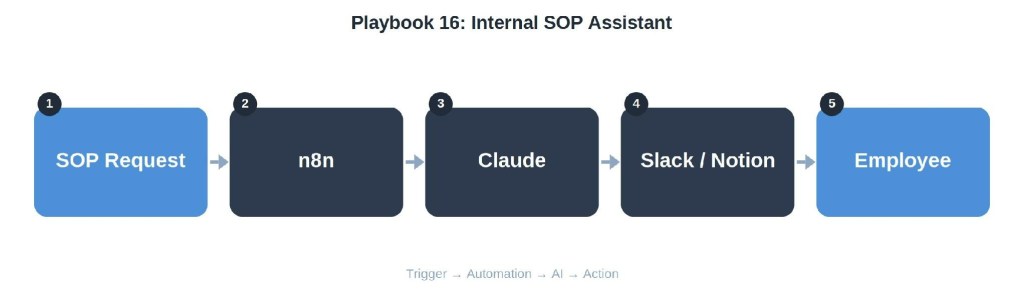
Workflow
SOP request → n8n → Claude (retrieve + rewrite for clarity) → Slack / Notion → Employee
Tools
Claude, n8n, Notion, Slack
Implementation
When someone asks ‘how do I do X,’ Claude pulls the relevant SOP and rewrites the answer as a direct, step-by-step response to that specific question, instead of linking a whole document for them to read on their own.
Business Outcome
Increases actual SOP adherence because the friction of ‘go find and read the doc’ disappears.
Playbook 17: Lead Qualification
Problem
Inbound leads — for an agency pitch or a SaaS trial — sit unsorted, and reps waste time on leads that were never a real fit.
Workflow
Form submission → n8n → Claude (score + summarize) → CRM / Slack → Sales rep
Tools
n8n, Claude, CRM, Slack
Implementation
New submissions trigger n8n, which passes the lead’s details and any enrichment data to Claude for a fit score and a one-line reason behind it. High-fit leads get flagged in Slack immediately; low-fit leads route to a nurture sequence instead of straight into a rep’s inbox.
Business Outcome
Reps spend their time on leads actually worth it, which shortens response time on the leads that matter most.
Playbook 18: AI-Powered Brainstorming
Problem
Campaign and creative brainstorms run out of ideas fast, or the same three people end up generating every angle.
Workflow
Structured brief → Claude (grouped ideation) → Notion → Team review
Tools
Claude, Notion
Implementation
Skip the open-ended ‘give me ideas’ prompt. Structure the brief with the offer, GEO, audience pain point, and which past angles already worked or flopped. Ask Claude for angles grouped by strategy type — fear, curiosity, social proof, urgency — so the output is immediately usable instead of a generic list.
Business Outcome
Gives the team a wider, better-organized starting point instead of blank-page syndrome.
Playbook 19: Campaign Launch Checklist
Problem
Campaigns skip steps under time pressure — a missing pixel, wrong GEO targeting, no UTMs — and nobody catches it until spend is already live.
Workflow
Launch request → n8n → Claude (checklist validation) → Slack → Media Buyer

Tools
n8n, Claude, Google Ads/Meta Ads API, Slack
Implementation
Before a campaign goes live, n8n pulls the actual campaign settings and Claude checks them against a standard launch checklist — tracking, budget caps, GEO, creative count, disclaimers — flagging anything missing before the buyer hits go.
Business Outcome
Catches expensive setup mistakes before spend starts, instead of after the first day’s report comes back ugly.
Playbook 20: End-of-Day Marketing Report
Problem
Teams need a close-out that’s more complete than the morning summary, but it still has to be fast to produce at the end of a long day.
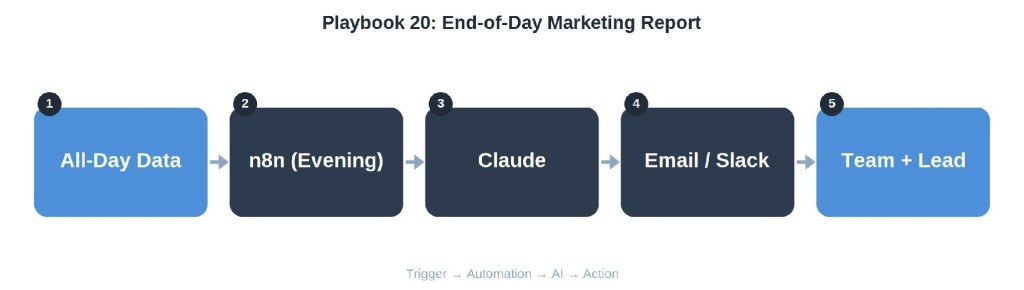
Workflow
All-day data → n8n (evening trigger) → Claude (full-day synthesis) → Email / Slack → Team + Leadership
Tools
n8n, Claude, ad platforms, tracker, Slack/Gmail
Implementation
At end of day, pull final numbers across all campaigns and combine them with any incidents flagged earlier — anomalies, pacing alerts, offer changes. Claude writes a close-out: what happened, what got fixed, what needs attention tomorrow, distributed automatically before the team logs off.
Business Outcome
Creates a paper trail of daily decisions and closes the loop on issues flagged earlier the same day.
Which Playbooks Should You Build First?
The right starting point depends entirely on where you’re bottlenecked today, not on which workflow sounds most impressive.
Solo marketer: Start with Playbook 1 (Daily Performance Summary) and Playbook 20 (End-of-Day Report). These give back the most hours per week for a single person juggling everything, with no team dependency to coordinate.
Small agency: Playbook 13 (Client Reporting) first — it’s the single biggest recurring time cost in most agencies — followed by Playbook 2 (Creative Approval) once you have more than one client’s creative moving through review.
Affiliate team: Playbook 5 (Affiliate Offer Monitoring), Playbook 7 (Budget Pacing Alerts), and Playbook 8 (Anomaly Detection) protect margin directly and pay for themselves fastest. See 15 n8n Workflows That Actually Save Affiliate Marketers Time for more in this vein.
Growing SaaS: Playbook 17 (Lead Qualification) and Playbook 9 (AI Reporting Assistant) tend to matter most once inbound volume outpaces what a small sales and marketing team can triage by hand.
Enterprise: Playbook 15 (Knowledge Base Assistant) and Playbook 16 (Internal SOP Assistant) address the coordination cost that shows up once a marketing org has more than a handful of specialists who all need the same answers.
Common Mistakes
- Buying automation tools before mapping the actual workflow — n8n and Claude don’t fix a process nobody has written down.
- Automating a broken process, which just produces bad outcomes faster and with less visibility into why.
- Trusting AI output without a validation step — every workflow above still has a human checkpoint somewhere, and that’s deliberate, not a limitation.
- Skipping documentation, so the one person who built the automation is also the only one who can fix it when it breaks.
- Stacking too many disconnected automations that don’t share data, creating five partial systems instead of one that works end to end.
- No monitoring on the automations themselves — an n8n workflow that silently stops running is worse than no workflow, because everyone assumes it’s still working.
30-Day Implementation Plan
Week 1: Map your actual bottlenecks before touching any tool. Pick two playbooks from the recommendations above that match your team type. Set up n8n (self-hosted or cloud — see Self-Hosted n8n vs n8n Cloud if that decision isn’t made yet) and connect your first data source.
Week 2: Build the first workflow end to end: trigger, automation, AI step, action. Run it in parallel with the manual process for a week before retiring the manual version — don’t cut over on day one.
Week 3: Build the second workflow. Add monitoring to both: an alert if either automation fails to run on schedule, not just an alert for what the automation reports on.
Week 4: Document both workflows in plain language — what triggers them, what they touch, who owns them. Review a month of output for accuracy and adjust the AI prompts based on where it got things wrong, not where it happened to get them right.
Conclusion
None of these 20 systems depend on a clever prompt. They depend on a trigger that doesn’t forget, an automation layer that moves data reliably, an AI step that does one well-defined job, and an action that puts the result in front of a human who can use it. Competitive advantage was never going to come from someone on the team being unusually good at talking to ChatGPT — it comes from building the repeatable system once and having it run every day whether anyone remembers to or not.
FAQ
How do marketing teams actually use AI in practice?
Mostly through scheduled or triggered workflows — an automation pulls data, AI reasons over it, and the output lands in Slack, a doc, or a CRM. Ad hoc chat use exists too, but it doesn’t scale past one person.
Which workflow should I automate first?
Whichever one currently costs the most manual hours per week or carries the most risk when it’s missed — usually reporting or offer/budget monitoring for affiliate teams, client reporting for agencies.
Do I need n8n specifically, or does Make work too?
Either works. n8n tends to win on cost at scale and self-hosting control; Make tends to win on a gentler learning curve for non-technical builders. Pick one and stay consistent rather than splitting workflows across both.
Can small businesses or solo marketers use these systems?
Yes — several playbooks here, like the daily and end-of-day reports, were built specifically with a one-person team in mind and don’t require coordinating with anyone else.
How much time do AI marketing workflows actually save?
It varies by workflow, but reporting and monitoring automations typically save 30 minutes to a few hours per day depending on account volume, mostly by removing manual data-pulling rather than by making any single task faster.
Which workflows produce the fastest ROI?
Monitoring workflows that catch problems early — budget pacing, anomaly detection, offer monitoring — tend to pay for themselves fastest because they prevent losses rather than just saving time.
Does this replace media buyers, writers, or account managers?
No. Every workflow above keeps a human checkpoint. The point is removing the manual data assembly around a decision, not removing the decision-maker.
What’s the biggest risk in building these systems?
Automating a bad process. If the underlying workflow is inefficient or confusing, adding AI just makes the bad version run faster and with less oversight.
How technical do I need to be to build this?
You don’t need to write code for any of these — n8n and Make are visual builders. You do need to be comfortable mapping a process into discrete steps.
Should I build all 20 playbooks?
No. Most teams get meaningful value from 3–5 well-built workflows that match their actual bottlenecks. More automations than that usually means less oversight of each one, not more value.
How do I know if an AI workflow is working correctly?
Check its output against the manual version for at least a week before retiring the manual process, and keep spot-checking afterward — the failure mode is usually silent drift, not an obvious break.
What tools show up most often across these playbooks?
n8n and Claude appear in nearly every workflow, with Slack, Notion, and Google Sheets or Docs as the most common destinations for the output. See Best AI Tools for Affiliate Marketers for a broader comparison.
Reference Tables
1. Workflow Overview
| Playbook | Trigger | Core AI Task | Primary Output |
|---|---|---|---|
| 1. Daily Campaign Performance Summary | Google Ads / Meta Ads / Keitaro | Analyze / summarize / score | Media Buyer |
| 2. Creative Approval Workflow | Creative upload (Drive/Slack) | Analyze / summarize / score | Reviewer |
| 3. AI-Generated Ad Copy Review | Ad copy draft | Analyze / summarize / score | Media Buyer |
| 4. Landing Page QA | Scheduled crawl | Analyze / summarize / score | Dev / Media Buyer |
| 5. Affiliate Offer Monitoring | Network dashboard/API | Analyze / summarize / score | Affiliate Manager |
| 6. Competitor Monitoring | Meta Ad Library / SimilarWeb | Analyze / summarize / score | Marketing Manager |
| 7. Budget Pacing Alerts | Ad platform API | Analyze / summarize / score | Media Buyer |
| 8. Campaign Anomaly Detection | Tracker / ad data | Analyze / summarize / score | Media Buyer |
| 9. AI Reporting Assistant | Slack question | Analyze / summarize / score | Team member |
| 10. Weekly Executive Summaries | Weekly data pull | Analyze / summarize / score | Leadership |
| 11. SEO Content Pipeline | Topic brief | Analyze / summarize / score | CMS |
| 12. Content Repurposing | Published article | Analyze / summarize / score | Social / Email |
| 13. Client Reporting | Per-client data pull | Analyze / summarize / score | Account Manager |
| 14. Meeting Summarization | Call transcript | Analyze / summarize / score | Team |
| 15. Knowledge Base Assistant | Internal docs | Analyze / summarize / score | Team member |
| 16. Internal SOP Assistant | SOP request | Analyze / summarize / score | Employee |
| 17. Lead Qualification | Form submission | Analyze / summarize / score | Sales rep |
| 18. AI-Powered Brainstorming | Structured brief | Analyze / summarize / score | Team review |
| 19. Campaign Launch Checklist | Launch request | Analyze / summarize / score | Media Buyer |
| 20. End-of-Day Marketing Report | All-day data | Analyze / summarize / score | Team + Leadership |
2. Tools Comparison
| Tool Category | Option A | Option B | Best For |
|---|---|---|---|
| Automation layer | n8n | Make | n8n: technical teams wanting self-hosted control. Make: faster start for non-technical builders. |
| AI model | Claude | OpenAI API | Claude: longer context and steadier tone for reporting/writing. OpenAI: broad ecosystem and plugin support. |
| Alert destination | Telegram | Slack | Telegram: lightweight, fast for solo/small teams. Slack: better for teams already living in it with threads and channels. |
| Data destination | Google Sheets | Airtable/Notion | Sheets: simplest for small datasets. Notion/Airtable: better when the output needs structure and views. |
3. Business Outcomes by Category
| Outcome Category | Representative Playbooks | What Changes |
|---|---|---|
| Time saved | 1, 9, 10, 13, 20 | Manual data-pulling and report assembly disappear from someone’s daily or weekly schedule. |
| Margin protected | 5, 7, 8, 19 | Losses from paused offers, overspend, or setup mistakes get caught within hours instead of days. |
| Faster decisions | 1, 6, 9, 14 | Answers and summaries arrive automatically instead of on request. |
| Fewer errors | 2, 3, 4, 19 | Compliance and QA checks run on every item instead of on a sample. |
| Better output quality | 11, 12, 18 | Content and creative work starts from a stronger baseline instead of a blank page. |
4. Implementation Complexity
| Playbook | Complexity | Typical Setup Time |
|---|---|---|
| 1. Daily Performance Summary | Low | 2–4 hours |
| 4. Landing Page QA | Medium | 1–2 days |
| 7. Budget Pacing Alerts | Medium | 1 day |
| 8. Anomaly Detection | High | 2–4 days |
| 11. SEO Content Pipeline | High | 3–5 days |
| 13. Client Reporting | Medium | 1–2 days |
| 15. Knowledge Base Assistant | High | 3–5 days |
| 17. Lead Qualification | Medium | 1 day |
| 19. Campaign Launch Checklist | Medium | 1–2 days |
| 20. End-of-Day Report | Low | 2–4 hours |
5. Expected ROI Timeframe
| Playbook Category | Typical Payback Window | Primary Value Driver |
|---|---|---|
| Reporting automations (1, 9, 10, 13, 20) | Immediate to 1 week | Direct hours saved from day one |
| Monitoring/alerting (5, 7, 8) | 1–2 weeks | First prevented loss usually covers the setup cost |
| QA/compliance (2, 3, 4, 19) | 2–4 weeks | Value shows up as avoided mistakes, which takes a cycle to observe |
| Content systems (11, 12, 18) | 4–8 weeks | Value compounds as output volume and repurposing scale up |
| Knowledge systems (15, 16) | 1–3 months | Value grows with team size and onboarding frequency |
6. 30-Day Rollout
| Week | Focus | Milestone |
|---|---|---|
| Week 1 | Map bottlenecks, set up n8n, connect first data source | First data source connected and pulling reliably |
| Week 2 | Build and parallel-test first workflow | First workflow live, manual process still running as a check |
| Week 3 | Build second workflow, add monitoring to both | Two workflows live with failure alerts on each |
| Week 4 | Document workflows, audit a month of output, tune prompts | Documentation complete, manual processes retired |


Leave a Reply