
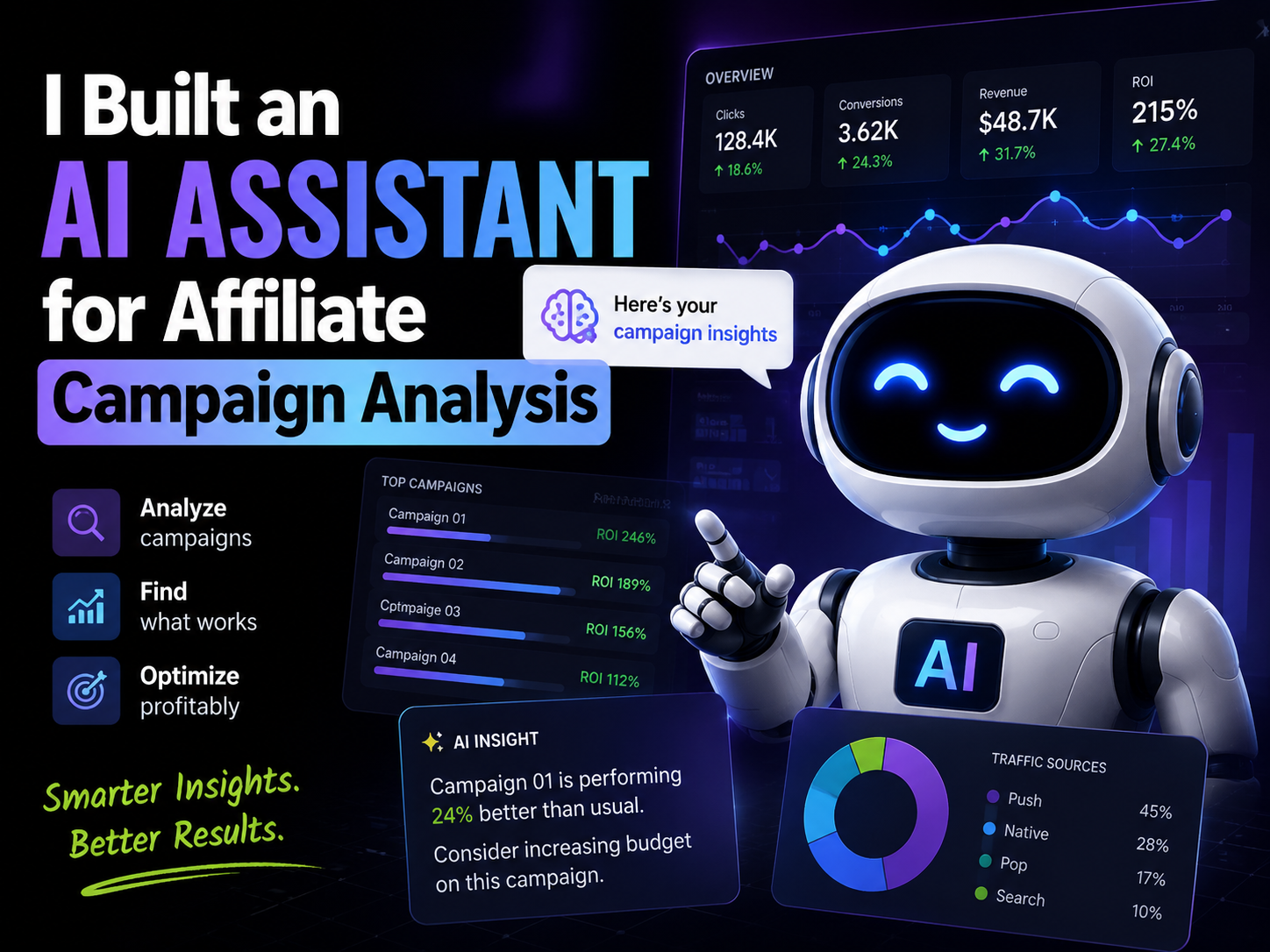
Every morning used to start the same way: open the tracker, open Google Ads, open the spreadsheet from last night’s postbacks, and try to figure out why yesterday’s numbers looked different from the day before. Not bad, necessarily — just different, in a way that took twenty minutes of clicking between tabs to explain.
That twenty minutes doesn’t sound like much until you multiply it by every campaign, every GEO, every day. And the real cost isn’t the time. It’s the campaigns that keep burning budget while you’re still figuring out which dashboard to trust.
I run analysis for a handful of affiliate campaigns across a few verticals — sweepstakes, loans, some nutra — spread across Google Ads and a couple of native networks, with everything routed through a tracker. Nothing exotic. But the data volume adds up fast: spend, clicks, conversions, CPA, EPC, CR, ROI, broken down by GEO, device, creative, and landing page, refreshed every single day.
The problem was never that we didn’t have data. We had plenty. The problem was that reading it, comparing it, and deciding what to do about it took longer than it should have — and by the time we noticed a problem, it had usually already cost us money.
What surprised me, once I actually sat down and timed it, was how much of that twenty minutes was pure translation work — converting a tracker export into something comparable with an ad platform export, converting yesterday’s numbers into “is this normal or not,” converting a gut feeling of “something looks off” into an actual, specific hypothesis. None of that is analysis, really. It’s clerical work dressed up as analysis, and it was eating the part of the morning that should’ve gone to actual decisions.
This article is about the workflow I ended up building to fix that: a morning routine where an AI model does the first pass on the data before I even open the tracker myself. It’s not a magic bullet, and I’ll get to what it can’t do. But it changed how fast we catch problems, and that alone made it worth building.
Why Affiliate Campaign Analysis Is Still a Manual Process
Here’s the thing nobody tells you when you start running paid traffic for affiliate offers: the dashboards are good at showing you numbers and bad at explaining them.
Google Ads will tell you your CPA jumped. It won’t tell you whether that’s because your creative is fatiguing, your landing page broke on mobile, the offer’s conversion window changed, or you just picked up a chunk of low-intent traffic from a new placement. All of those show up as “CPA went up.” Only one investigation tells you which one it actually was.
Same story with the tracker. It gives you raw clicks and conversions, split by GEO, sub, and creative — but it doesn’t connect the dots for you. You still have to notice that Brazil’s conversion rate dropped exactly when a specific sub-ID started sending volume, and that takes someone sitting down and cross-referencing numbers by hand.
And GEOs hide each other’s problems. If Mexico is having a great week and Brazil is quietly falling apart, your blended ROI can still look fine at a glance. You only catch it if you’re breaking things out GEO by GEO every single day — which, if you’re running more than three or four campaigns, nobody actually does consistently.
The clearest way I can describe it: campaign A spent $500 yesterday. CPA moved from $35 to $52. The dashboard shows you that number moved. It does not tell you whether the reason is traffic quality, creative fatigue, a landing page issue, or something on the offer side. You still have to go dig for the “why,” and digging is where all the time goes.

The AI Morning Workflow We Built
What I ended up putting together isn’t complicated on paper. It’s five steps, and the only thing that changed from the old process is which step the AI sits in.
1. Data collection. Every morning, before I open anything myself, an automation pulls yesterday’s numbers from Google Ads, the affiliate network, and the tracker. I use n8n for this — it runs on a schedule, hits the relevant APIs, and drops everything into a shared sheet. No manual exports, no CSV downloads sitting in my Downloads folder from three different logins.
2. Data preparation. Raw exports from three sources never line up cleanly. Column names differ, currencies sometimes differ, and campaign naming conventions are rarely identical between the ad platform and the tracker. This step normalizes all of that into one table — one row per campaign per GEO per day, with spend, revenue, CPA, CR, and ROI already calculated.
3. AI analysis. This is the part that changed my mornings. Instead of me scanning fifteen rows of a spreadsheet looking for what moved, I hand that table to an AI model with a specific prompt (more on the actual prompts in a minute) and ask it to flag what changed, by how much, and where.
4. Problem detection. The output isn’t “everything is fine” or “everything is broken.” It’s specific: this campaign’s CPA is up 40%, this GEO’s CR dropped for the third day in a row, this creative’s CTR is fine but its CR fell off a cliff — which usually points at the landing page, not the ad.
5. Human decision. This is the step that doesn’t change. The AI hands me a short list of what to look at and why it looks off. I’m still the one deciding whether to pause a placement, adjust a bid, or leave it alone because I know something about that offer the model doesn’t.
The whole thing takes about ten minutes now, most of which is me reading the output and deciding what to act on — not hunting for what changed in the first place.
It didn’t work this cleanly on the first try, though. The first version I built fed the AI raw exports straight from each platform, no normalization step at all — and the output was full of false alarms because currency formatting and column naming differed between the ad platform and the tracker. I’d get a flag saying a campaign’s spend “doubled” when really it was just a formatting mismatch between two exports. Adding the data preparation step — one consistent table, same units, same naming — fixed most of that. It’s the least interesting step in the workflow, and also the one that made everything after it trustworthy.

What Campaign Data We Give AI
I was cautious about this at first, mostly because I didn’t want to hand over a messy dump and get a vague summary back. The data that actually produces useful output is narrower than you’d think:
- spend and revenue, by day
- CPA and ROI, calculated, not just raw
- conversion rate and click-through rate
- clicks and impressions
- GEO
- device (mobile vs. desktop matters more than people assume)
- landing page variant, if you’re split-testing
- creative ID
- offer ID and payout type
A row in that table looks something like this:
| Campaign | Spend | Revenue | CPA | CR | ROI | GEO | Status |
|---|---|---|---|---|---|---|---|
| BR – Sweeps A | $482 | $310 | $52 | 3.1% | -36% | BR | Warning |
| MX – Loans B | $610 | $895 | $28 | 4.4% | +47% | MX | Scale |
| PH – Gaming C | $275 | $260 | $34 | 2.9% | -5% | PH | Watch |
With a table like that in front of it, the model can do the boring-but-essential comparison work: this campaign’s CPA is two standard deviations above its own 7-day average, this GEO’s CR has been declining for three straight days, this ROI swing is bigger than normal day-to-day noise. None of that is complicated math. It’s just math nobody has time to run by hand across fifteen campaigns before their coffee is finished.

The Questions We Ask AI Every Morning
This is the part people usually ask me about, so I’ll give you the actual prompts, not a generic list. What matters more than the wording is when each one earns its place in the routine.
“Analyze yesterday’s campaigns and find where CPA increased more than 20% versus the 7-day average.” This is the first thing I run, every day, no exceptions. It’s the fastest way to know if anything needs attention before I do anything else.
“Which campaigns are wasting budget — spend with zero or near-zero conversions?” Useful specifically for new campaigns still in a learning phase, or ones that just had a budget increase. Dead spend is the easiest kind of loss to miss because the number itself (spend) still looks “normal.”
“Which GEOs show declining conversion quality over the last three days?” This one catches slow bleeds — the kind of decline that doesn’t trip any single-day alert but adds up to a bad week if nobody’s watching.
“Which creatives have the highest CTR but the lowest CR, and why might that gap exist?” I use this to separate a creative problem from a landing page problem. High CTR with low CR almost always means the ad is doing its job and something after the click is broken.
“Where should we increase budget based on today’s ROI by GEO?” This comes last, after the problems are handled. No point scaling a GEO you haven’t confirmed is actually stable.
“Find unusual patterns in yesterday’s performance that don’t fit the usual checks.” My catch-all. Not every problem fits a template, and this prompt has caught things the specific ones didn’t — like a sudden shift in device split that none of my other prompts were built to notice.
“Compare this week’s CPA trend against the same campaigns last week.” Week-over-week instead of day-over-day. Useful for spotting slower trends that daily noise can hide.
“Which landing pages have the biggest gap between mobile and desktop conversion rate?” Mobile issues are the most common landing page problem I run into, and they’re also the easiest to miss if you’re only looking at blended numbers.
“Summarize which campaigns need a decision today versus which can wait.” This is the last prompt of the routine — it turns everything above into an actual to-do list instead of a pile of observations.

Real Example: How AI Helped Find a Campaign Problem
Here’s one from an actual week, with the details adjusted slightly but the shape kept honest — no invented 500% revenue jumps, just what actually happened.
A Brazil campaign running through Google Ads on a CPA sweepstakes offer had been stable for a couple of weeks at roughly $300 a day in spend. One morning, the CPA analysis flagged it: CPA had gone from around $24 to $41 in a single day, well outside its normal range.
Running the follow-up prompts, the pattern showed up quickly: mobile conversion rate had dropped hard while desktop stayed flat, and almost all of the mobile traffic causing the drop was landing on one specific landing page variant we’d been split-testing since the week before. A quick manual check confirmed the page was loading slowly on a couple of common mobile carriers in that GEO — not broken, just slow enough to lose people before the form loaded.
The fix wasn’t dramatic: pause traffic to that landing page variant, route mobile back to the original page, and flag the slow-loading version for the dev side to look at. CPA came back down within a day.
None of this needed AI to fix. What the AI actually did was compress the “notice something’s wrong and figure out where” part from what would’ve been a couple of hours of cross-referencing tracker data into about ten minutes. That’s the whole value proposition, honestly — not a bigger result, just a faster path to the same decision.

What AI Still Cannot Do
I’d be lying if I said this replaced judgment, so let me be direct about where it doesn’t help.
It doesn’t know your offer’s actual terms unless you tell it — payout changes, cap adjustments, geo-restrictions that happened last week. If the affiliate network quietly lowered a payout, the model will flag “CPA went up” without knowing the real cause is on the revenue side, not the traffic side.
It doesn’t understand relationship context with a network manager, doesn’t know which affiliate manager tends to under-report holds, and doesn’t know that a specific GEO always dips around a local holiday. That’s accumulated experience, and no amount of clean data replaces it.
It can’t guarantee a campaign becomes profitable. It’s good at telling you what changed and pointing at a plausible reason. It’s not good at telling you whether a GEO is worth pushing through a rough patch or cutting — that call still needs someone who’s watched that vertical long enough to have an opinion.
And it makes mistakes when the data itself is messy — mismatched currency conversions, a tracker delay that makes yesterday’s numbers look incomplete, a campaign name that got typo’d differently across two platforms. Garbage in, confidently-wrong analysis out. I’ve had mornings where the flagged “problem” turned out to be a tracker sync delay, not an actual performance issue. You learn to sanity-check the flags that look too dramatic.
There’s also a subtler limit worth naming: the model will confidently produce a plausible-sounding explanation even when the real cause isn’t in the data at all. If a network changed a cap or paused an offer without telling anyone, the AI has no way to know that — it’ll describe the symptom accurately and guess at a cause that fits the pattern but isn’t actually true. That’s why the human step at the end of the workflow isn’t a formality. It’s the point where someone who knows the account checks the AI’s hypothesis against things the data can’t show.
The AI Affiliate Marketing Stack
The actual tool list is less interesting than people expect, and I’d rather explain what each piece is for than hand you a generic list.
The tracker is still the source of truth for clicks, conversions, and postbacks. Nothing replaces it.
n8n handles the plumbing — pulling data from Google Ads, the affiliate network, and the tracker on a schedule, and normalizing it into one table. This is the unglamorous part, but it’s what makes the rest possible without manual exports every morning.
Claude (or another AI model) does the actual analysis pass — reading the normalized table, running the prompts above, and surfacing what needs a decision.
Google Sheets is where the normalized data and the AI’s output both live. Nothing fancy, but it’s shared, versioned, and everyone on the team can see the same numbers.
Looker Studio is for the weekly view — trends over time, GEO comparisons, the stuff that’s better as a chart than a daily list.
None of these tools do anything on their own. The value is in the sequence: automation collects, AI analyzes, sheets and dashboards hold the record, and a person makes the call.

Where This Leaves Us
AI doesn’t replace an affiliate manager, and I don’t think that’s coming anytime soon for this kind of work — there’s too much context tied up in offer terms, network relationships, and gut feel about a GEO that no model has access to.
What it does is remove the slowest part of the job: noticing something changed and figuring out where to look. That part used to take a chunk of every morning. Now it takes ten minutes, and the ten minutes I get back go toward actually deciding what to do, instead of hunting for what happened.
The teams that get ahead here probably won’t be the ones collecting the most data — everyone already has more data than they can use. It’ll be the ones who build a fast, boring, repeatable way to turn that data into a decision before the budget’s already spent on the problem.



Leave a Reply