
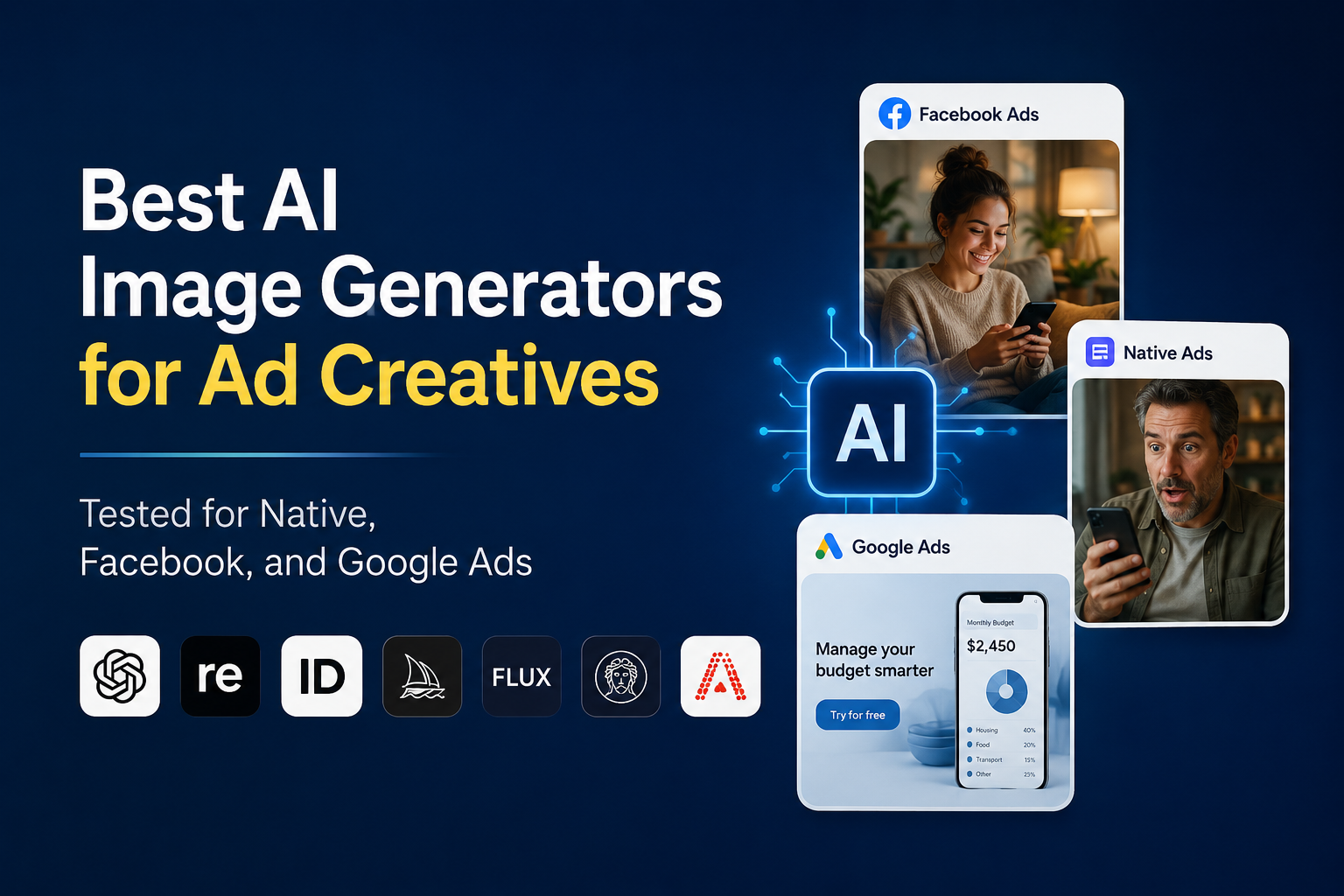
If you’ve been running paid traffic for more than a year, you already know what creative fatigue looks like. Your best-performing image slowly dies over two weeks. Your media buyer starts pulling clips from stock libraries you’ve used three campaigns ago. Your designer costs $800 a month and is still a bottleneck. And then someone on the team suggests just “using AI” — as if that settles anything.
The problem isn’t that AI image generation isn’t useful for advertisers. It clearly is. The problem is that most comparisons of these tools are written for photographers, illustrators, or general consumers. They rank images by aesthetic quality, prompt faithfulness, or how convincingly they render fingers. None of those criteria tell you whether a tool will help you ship 40 Facebook creatives before your Tuesday launch, keep a native advertorial campaign compliant, or produce Google Display banners at $0.02 per asset instead of $20.
This review approaches the question from the other direction: what do actual advertisers need from an AI image generator, and which tools deliver it?

How We Evaluated These Tools
Generic image quality isn’t the primary lens here. These tools were assessed specifically from an advertising production perspective, across the criteria that actually matter when you’re running campaigns.
Prompt Understanding
How well does the tool interpret advertiser-specific prompts? A media buyer doesn’t write “cinematic portrait of a woman in natural light.” They write “woman in her 40s opening a credit card statement, looking relieved, kitchen background, warm light.” Tools that handle these situational, intent-driven descriptions accurately cut iteration time significantly.
Advertising Readiness
Does the default output look like something you’d plausibly put in a Facebook feed or a native placement without extensive post-production? Some generators produce stunning concept art that requires heavy editing before it’s usable in a real campaign. That overhead matters.
Image Editing
Can you modify specific elements without regenerating everything? Aspect ratio control, background replacement, object removal, and in-painting are standard needs in creative production. Tools that treat every change as a fresh generation create unnecessary friction.
Text Rendering
Text on images is common in display advertising and native creatives. Historically, AI generators have been unreliable at this — garbled letters, inconsistent fonts, broken words. The gap between tools here has narrowed but hasn’t closed.
Production Speed
How fast can you realistically go from brief to 10 usable variants? This includes generation speed, iteration loops, and the quality of first-pass outputs. Slower tools can still be worth it, but only if the output justifies the time.
Pricing
What does it actually cost per usable creative? Free tiers, credit systems, and subscription models all have different economics at scale. A tool priced for hobbyists can become expensive when you’re producing hundreds of assets monthly.
Commercial Usage
All outputs need to be usable in paid advertising. This sounds obvious, but licensing terms vary. Some free-tier outputs carry restrictions. Some tools that allow commercial use have content moderation that creates unexpected friction for finance, nutra, or gambling verticals.

Quick Verdict: Best AI Image Generators for Ad Creatives
| Tool | Best For | Text Rendering | Editing | Price Range | Commercial Use |
|---|---|---|---|---|---|
| GPT Image | Versatile ad production, social | ★★★★★ | ★★★★☆ | From $20/mo | Yes (ChatGPT Plus) |
| Recraft | Brand-consistent display, vectors | ★★★★☆ | ★★★★★ | Free + $25/mo | Yes |
| Ideogram | Text-heavy creatives, native | ★★★★★ | ★★★☆☆ | Free + $16/mo | Yes |
| Midjourney | High-quality lifestyle, aspirational | ★★☆☆☆ | ★★☆☆☆ | From $10/mo | Yes (paid plans) |
| Flux | Photorealistic UGC-style, faces | ★★★☆☆ | ★★★★☆ | Variable (API) | Yes (model-dependent) |
| Leonardo AI | Volume production, game/app ads | ★★★☆☆ | ★★★★★ | Free + $24/mo | Yes |
| Adobe Firefly | Brand-safe display, stock replacement | ★★★★☆ | ★★★★★ | From $9.99/mo | Yes (indemnified) |

Best AI Image Generators for Advertising
GPT Image (via ChatGPT)
Overview
OpenAI’s GPT-4o image generation, integrated directly into ChatGPT, changed the conversation when it launched properly in early 2025. It’s not marketed as an ad tool. It doesn’t have campaign templates or brand kit features. What it has is arguably more useful for working advertisers: conversational iteration with near-perfect instruction following.
What Makes It Useful for Advertisers
The real advantage here is context retention. You can build a prompt over several messages — “make the background warmer,” “add a subtle shadow,” “change the text to say ‘0% interest for 12 months’” — and the model understands you’re modifying the same image. That’s not how most generators work. Most treat each generation as a blank slate.
For a media buyer testing five different emotional angles for a finance offer, that iteration speed is meaningful. You’re not rewriting full prompts. You’re directing, the way you’d direct a designer over Slack.
Strengths
Text rendering is genuinely excellent — the best among all tools tested here. If you need clean headline copy baked into an image (common in native and display), GPT Image handles it reliably. Prompt adherence for situational advertising scenes is also notably strong. Ask for a specific emotional scenario and you typically get something close on the first try.
Weaknesses
It’s embedded in ChatGPT, which means the interface is optimized for conversation, not batch production. There’s no native bulk generation, no brand library, and no direct export pipeline to ad platforms. For teams producing 50+ creatives in a session, the workflow is clunky. The content policy also filters some verticals more aggressively than competitors — finance and nutra prompts occasionally get soft-blocked without clear explanation.
Best Use Cases
Rapid angle testing for social and native campaigns. Generating single hero images where text placement matters. Producing quick mockups for client approval before investing in volume.
Verdict
One of the most immediately useful tools for solo media buyers and small teams. Not built for scale, but for intelligent iteration, it’s hard to beat right now.
Recraft
Overview
Recraft is a design-first AI image tool that has developed a legitimate following among performance marketers who care about brand consistency. It’s less famous than Midjourney, less viral than GPT Image, and more useful than both for a specific category of advertising work.
What Makes It Useful for Advertisers
Recraft’s standout feature is style consistency across a set of images. You can define a visual style — color palette, illustration approach, level of realism — and generate multiple images that actually look like they belong together. For an e-commerce brand running display campaigns with a recognizable aesthetic, that coherence matters. It’s the difference between a campaign that looks deliberate and one that looks like it was assembled from stock leftovers.
The vector output capability is also genuinely useful. Google Display and some native placements benefit from clean, scalable assets, and Recraft is one of the few generators that handles vector-style output without requiring manual conversion.
Strengths
Brand consistency tools are uncommon among AI generators and Recraft does them well. The interface is built around design workflows rather than creative exploration. Image editing and background control are solid. Text rendering is better than most, though not at GPT Image’s level.
Weaknesses
Photorealism is not Recraft’s strength. If you need lifestyle imagery that looks like a real photograph — a UGC-style creative or a Facebook testimonial-format image — you’ll get better results elsewhere. The tool skews illustrative, which is great for certain campaign types and limiting for others.
One thing that stood out during our evaluation was how much the quality depends on using Recraft’s style presets correctly. Users who skip style configuration often get mediocre results and underestimate the tool. It rewards deliberate setup.
Best Use Cases
Display campaign image sets where visual cohesion matters. App and SaaS advertising with consistent brand identity. E-commerce brands that want a distinct aesthetic rather than generic stock imagery.
Verdict
Underrated among performance marketers. If your advertising requires consistent visual identity across multiple placements, Recraft is worth serious attention.
Ideogram
Overview
Ideogram built its reputation on one thing: text rendering. For a long time, that was enough to make it worth using. In 2026, it’s evolved into a more complete tool, but text is still the reason most advertisers discover it.
What Makes It Useful for Advertisers
Native advertising, in particular, relies heavily on curiosity-triggering images that often include text overlays — short headlines, number callouts, or benefit statements. Ideogram handles these reliably. Where other generators produce warped characters or inconsistent font sizing, Ideogram typically produces clean, legible copy on the first or second generation.
For a native advertiser running advertorial campaigns with “17 Foods That Destroy Your Metabolism” or “Banks Don’t Want You to Know This” — and you know the format — having accurate text in the image itself removes a post-production step that used to require Photoshop or Canva.
Strengths
Best-in-class text rendering alongside GPT Image, though the two tools approach it differently — Ideogram is more typographically deliberate, GPT Image is more contextually adaptive. Image composition for editorial-style scenes is genuinely good. The free tier is usable for testing, which matters for teams exploring the tool before committing.
Weaknesses
Editing capabilities are more limited than competitors like Recraft or Leonardo. If you generate an image you mostly like but need to change one element, regeneration is often the only practical option. For volume production workflows, that creates real friction.
The content moderation also trends conservative on certain verticals, which can create compliance issues with health-adjacent offers even when the creative itself is legitimate.
Best Use Cases
Native advertorial creatives with text overlays. Finance and insurance offers where editorial-style imagery is effective. Any campaign where baked-in text is part of the creative strategy.
Verdict
Mandatory tool for native advertisers. Less essential for pure Facebook or Google Display work where text overlays are added separately.
Midjourney
Overview
Midjourney still produces some of the most visually impressive images of any AI generator available. That’s not in dispute. The question for advertisers is whether visual impressiveness translates into advertising effectiveness — and the answer is more complicated than Midjourney’s fanbase tends to acknowledge.
What Makes It Useful for Advertisers
Aspirational lifestyle imagery is where Midjourney genuinely excels in an advertising context. If you’re running a luxury e-commerce brand, a high-end travel offer, or a premium finance product, Midjourney can produce hero images that look expensive in a way that’s hard to replicate with stock. The aesthetic quality creates an immediate credibility signal.
Strengths
Output quality ceiling is the highest of any tool here. If you need one exceptional image for a landing page, a magazine-style hero creative, or a brand awareness campaign where impression is everything, Midjourney delivers. The community and prompt repository are also genuinely useful resources for media buyers learning the tool.
Weaknesses
Many advertisers assume image quality is the most important factor in creative performance. In practice, workflow speed and iteration efficiency often matter more. And Midjourney is genuinely awkward to work with at production scale.
There’s no web-based editor to speak of, text rendering is weak, prompt iteration requires rewriting full commands rather than conversational editing, and the interface still routes through Discord or the web app in ways that feel designed for individual creators rather than production teams. Aspect ratio control has improved, but the overall workflow remains friction-heavy compared to newer tools.
Best Use Cases
High-ticket offers where aesthetic quality is a meaningful conversion driver. Brand photography replacement for premium e-commerce. One-off hero images for landing pages.
Verdict
Worth keeping in your toolkit for specific use cases. Not the right primary tool if you’re shipping volume or need reliable iteration.
Flux
Overview
Flux (developed by Black Forest Labs) has become the preferred backbone for many custom AI image pipelines in advertising, particularly in performance marketing circles where teams run their own fine-tuned models. If you’ve seen suspiciously good photorealistic images in affiliate campaigns over the past year, there’s a reasonable chance Flux was involved.
What Makes It Useful for Advertisers
Photorealism and face generation are where Flux separates itself. For UGC-style creatives — the testimonial-format images that dominate Facebook and Instagram feeds in certain verticals — Flux produces results that can pass as real photography in ways that other generators currently can’t match.
The ability to fine-tune Flux on a specific visual style or persona is also significant for performance marketers running personas-based campaigns. A team running a finance offer built around a specific “expert character” can fine-tune Flux to generate consistent images of that character across dozens of creatives, which is something most SaaS-based tools simply don’t offer.
Strengths
Best photorealistic output among the tools covered here. Fine-tuning capability creates unique value for performance marketers with technical resources. API access enables integration into custom production pipelines.
Weaknesses
Flux is not a product with a clean interface — it’s primarily a model you access through platforms like Replicate, Fal.ai, or your own infrastructure. The barrier to entry is higher than other tools. For a solo affiliate with no development resources, the practical access path is limited.
Text rendering is inconsistent, and the content policy varies by platform and model version, which creates some unpredictability in production workflows.
Best Use Cases
Teams with technical capability building custom production pipelines. UGC-style Facebook and Instagram creatives. Persona-based affiliate campaigns requiring consistent character identity.
Verdict
The most technically capable option for photorealism, but not accessible to everyone. Worth building competency in if you run UGC-heavy campaigns at scale.
Leonardo AI
Overview
Leonardo AI is a production tool first. It doesn’t have the aesthetic prestige of Midjourney or the viral moment of GPT Image, but it’s built around the needs of teams generating significant creative volume, which makes it more practically useful for a lot of advertising workflows than both.
What Makes It Useful for Advertisers
The toolset is genuinely broad. Image generation, background removal, in-painting, upscaling, canvas editing — it’s closer to a lightweight Photoshop with AI features than a pure generator. For a small performance marketing team that needs to produce creative variations efficiently without paying for dedicated design software licenses, the consolidation is useful.
The app advertising category — mobile games, utilities, subscriptions — has adopted Leonardo particularly heavily because the tool handles stylized, non-photorealistic imagery well, which is often what app campaigns require.
Strengths
The most complete editing suite of any generator reviewed here. Daily token refresh on the free tier makes it usable without subscription for low-volume needs. The motion generation feature is increasingly relevant as video ad placements expand.
Weaknesses
Output quality at the top end doesn’t match Midjourney or Flux. For campaigns where visual premium matters, that ceiling is noticeable. The interface has expanded significantly over the past 18 months and can feel overwhelming to new users — there are features here that most advertisers will never touch.
Best Use Cases
App advertising. Gaming and entertainment verticals. Teams that need an all-in-one creative production environment without relying on separate design tools.
Verdict
Strong practical choice for production-oriented teams, particularly in gaming and app verticals. Not the right tool if you need photorealistic people or premium lifestyle imagery.
Adobe Firefly
Overview
Adobe Firefly’s core differentiator has nothing to do with image quality. It’s the one tool on this list that offers explicit commercial indemnification — Adobe has accepted legal liability if generated content is found to infringe on third-party rights. For brands and agencies running campaigns at scale, that’s a meaningful risk consideration that tends to get ignored in aesthetic comparisons.
What Makes It Useful for Advertisers
Adobe’s training data approach — using licensed stock and public domain material — creates a cleaner commercial use case than tools trained on scraped web data. For e-commerce brands, agencies managing client accounts, and any organization with legal oversight of its content production, Firefly reduces ambiguity.
The integration with Adobe Creative Cloud also makes Firefly less of a standalone tool and more of an extension of existing workflows. If your design team is already in Photoshop or Illustrator, the Generative Fill and generation features inside those tools are already available.
Strengths
Commercial safety and indemnification. Seamless Creative Cloud integration for teams already on Adobe’s stack. Background removal and Generative Fill are mature and practical. Output is consistently brand-safe, which matters for Google Display and programmatic placements.
Weaknesses
Firefly’s image quality is solid but not exceptional. It produces clean, usable images reliably, but if you need a visually stunning hero image, you’ll likely still reach for Midjourney or Flux. The tool is somewhat conservative in its aesthetic range.
The value also depends heavily on whether you’re already paying for Creative Cloud. As a standalone purchase, it’s harder to justify against competitors.
Best Use Cases
Agencies and in-house teams with legal oversight who need documented commercial clearance. Google Display and programmatic campaigns where brand safety is mandatory. Any workflow already embedded in Adobe’s tools.
Verdict
The rational choice for risk-conscious advertisers. Not the most exciting tool here, but arguably the most professionally defensible one.
Which AI Generator Works Best for Different Ad Types?
Native Advertising
Native advertising has specific visual requirements that most AI image generator reviews don’t address. The best-performing native creatives tend to use realistic, documentary-style imagery — scenes that look like they could appear in editorial content, not stock photography or fashion shoots.
Ideogram and GPT Image are the strongest choices here, primarily because of text rendering. Native placements like Taboola and Outbrain often display a headline overlay on the image or require the image to complement a curiosity-driven headline. Clean in-image text is frequently part of the creative.
Compliance is also a relevant consideration. Native networks have reviewed their policies on AI-generated images at different speeds, and some categories — health, finance, regulated products — receive additional scrutiny regardless of image source. The creative should look plausible and editorial, not artificially generated or stock-composite.
Facebook Ads
Facebook creative testing benefits from volume more than perfection. Running 15 image variants to find the three that perform is a standard workflow, which means production speed and iteration efficiency matter more than producing one exceptional image.
Flux handles UGC-style creatives better than any tool here, and that format currently performs well across direct-response Facebook campaigns in multiple verticals. GPT Image handles diverse social scenarios well and iterates quickly. Leonardo provides good volume production if you need stylized imagery.
One practical note: Meta’s ad system doesn’t currently flag AI-generated images as a category, but its policies on misleading visuals still apply. Images that depict realistic health transformations, specific financial outcomes, or before/after results are evaluated on content, not production method.
Google Ads
Display advertising requires a specific kind of image: clean composition, clear focal point, minimal clutter, and nothing that generates brand risk in programmatic placements. Adobe Firefly is the most obvious choice here for teams that need commercial indemnification, and its output consistently meets the safe, professional standard that Google Display inventory demands.
Recraft is also worth considering for display, particularly for brands that want visual consistency across multiple banner sizes. The vector output and style control make resizing and adaptation cleaner than with photorealistic generators.
Text placement in Google Display banners is typically handled in the ad builder rather than baked into the image, which changes the text rendering calculus — it’s less critical than in native.

AI Images vs Stock Photos for Advertising
Stock photography served advertising well for a long time because it was cheaper and faster than producing original creative. AI generation has shifted that equation significantly.
The cost argument is no longer close. A Shutterstock subscription costs roughly $29–$199 per month for limited downloads, and licensing restrictions still apply to specific use cases. AI generation at scale costs a fraction of that per usable asset.
Speed is also now clearly in AI’s favor. Finding a stock image that matches a precise advertising scenario — a 35-year-old man discovering his credit score improved, photographed in a believable kitchen setting — often involves extended searching and compromise. AI generation produces a scene to spec in seconds.
The remaining advantages of stock photography are: guaranteed commercial licensing with no ambiguity, consistent photographic realism (critical for some product categories), and zero generation failures. Stock images don’t require prompt engineering or iteration.
For campaigns in heavily regulated verticals where image authenticity matters, stock still has a place. For most performance marketing work, AI has already effectively replaced stock in production workflows where the primary concern is creative testing velocity.

Common Mistakes Advertisers Make with AI Images
Treating visual quality as the primary success metric. An image that looks impressive doesn’t necessarily drive clicks or conversions. Many advertisers over-invest in generating aesthetic quality and under-invest in matching the visual to audience intent.
Weak prompts. “A professional woman in an office” is not an advertising brief. Effective prompts specify emotion, context, lighting, framing, and intended audience response. The quality of output is directly tied to the specificity of input.
Ignoring platform content policies. AI-generated images of people making money, losing weight, or experiencing dramatic life improvements get flagged regardless of generation method. The policy violation is in the depiction, not the production technique.
Over-editing and visual incoherence. Running multiple editing passes on AI images can produce artifacts, unnatural lighting, and composition inconsistencies that audiences notice subconsciously, even if they can’t articulate why an image feels off.
Using the same image set across multiple campaigns without refreshing. Creative fatigue applies to AI images exactly as it applies to stock or produced photography. The fact that generating new variations is cheap and fast makes the argument for regular refresh much stronger.
Misreading compliance signals. Some advertisers assume that because an image isn’t photographed, it automatically avoids policy violations. Content policies evaluate what the image depicts, not how it was made.
Can AI-Generated Images Pass Ad Review?
Meta Ads Considerations
Meta’s ad review system evaluates images on depicted content, targeting, and advertiser history — not production method. AI-generated images are approved and rejected daily on Meta at the same rates as other image types, with the same compliance logic applying.
The areas where AI images create friction on Meta are the same areas where all images create friction: implied health outcomes, financial promises, before/after depictions, and targeting-adjacent imagery for regulated categories. A photorealistic AI image of a person in distress used to advertise a debt relief service will trigger the same review concerns as a stock photo of the same scene.
Google Ads Considerations
Google Display similarly evaluates content and context, not generation method. Brand safety remains the primary concern — images that would appear distressing or inappropriate alongside general web content are subject to review regardless of source.
One area worth noting: Google’s AI-generated content disclosure policies are evolving, particularly for political advertising. The direction of travel suggests broader disclosure requirements are coming, which advertisers running brand campaigns should watch.
Native Advertising Considerations
Native networks are the most variable here. Taboola, Outbrain, and MGID have each published guidelines that have evolved throughout 2024 and 2025. Some networks require disclosure for AI-generated imagery in certain categories; some apply blanket policies to verticals like health and finance. Checking current policy for each network you’re active on is genuinely necessary — this is one area where the landscape has shifted enough that generalizations are unreliable.
How Affiliate Marketers Use AI Image Generators
Affiliate marketing has adopted AI image generation faster than most advertising categories, partly because affiliate campaigns often don’t have the brand oversight that slows adoption in agency and in-house environments.
The most common workflows involve: generating multiple visual angles for the same offer to test different emotional triggers; producing prelander visuals that set up the offer story without depending on stock imagery that competitors may also be using; creating fast mockups of advertorial-style pages to test layout and imagery together before investing in production.
The competitive advantage comes from iteration speed. An affiliate team that can produce 20 image variants in a morning and test them across traffic sources the same day has a structural edge over teams still dependent on designer turnaround. AI doesn’t replace creative judgment — knowing which emotional angle to test, which scenario resonates with a specific audience, which visual cue triggers the intended response — but it removes the production bottleneck that used to slow that judgment down.
For nutra and finance affiliates specifically, photorealistic AI imagery from tools like Flux has opened up persona-based creative strategies that were previously too expensive to maintain across multiple offers. The economics of building and testing visual identities have changed substantially.

Final Rankings
Best Overall: GPT Image — for the combination of prompt understanding, text rendering, and iterative editing that benefits the widest range of advertising workflows.
Best for Affiliate Marketing: Flux — photorealistic output and fine-tuning capability create unique leverage for persona-based and UGC-style affiliate campaigns.
Best for Facebook Ads: Flux (photorealism/UGC) or GPT Image (quick iteration) depending on creative format — no single tool wins across all Facebook use cases.
Best for Google Ads: Adobe Firefly — commercial indemnification and brand-safe output align with the risk profile of display advertising.
Best for Native Advertising: Ideogram — text rendering and editorial-style composition match native advertising’s specific visual requirements.
Best Budget Option: Ideogram or Leonardo AI — both offer usable free tiers and competitive paid plans relative to output quality.
FAQ
What is the best AI image generator for Facebook ads?
There’s no single answer because Facebook advertising covers such different creative formats. For UGC-style imagery — the testimonial, lifestyle, and “real person” formats that dominate direct-response campaigns — Flux currently produces the most convincing photorealistic output. For quick iteration and testing multiple emotional angles without spending hours on prompts, GPT Image is more practical. If you’re running stylized app or gaming creatives, Leonardo handles that well. The honest answer is that most experienced Facebook media buyers use two or three tools depending on the campaign type, rather than committing to one. What matters more than tool selection is having a clear brief for what emotional response you’re trying to trigger before you start generating.
Which AI image generator creates the most realistic advertising images?
Flux produces the most convincing photorealistic output among the tools reviewed here, particularly for images involving people. Black Forest Labs built the model specifically with photorealism as a priority, and it shows — face generation, skin texture, and environmental lighting are notably better than alternatives. The trade-off is that Flux is primarily a model accessed via API or third-party platforms rather than a polished product, so the path from “I want a realistic image” to having a usable creative involves more technical setup than tools like GPT Image or Ideogram. For teams with the technical capability to set up Flux properly, or using platforms that have integrated it, it’s the strongest tool for photorealistic advertising imagery.
Can AI-generated images be used in Google Ads and Meta Ads?
Yes, both platforms permit AI-generated images and have done so since before it became a widely discussed topic — the ad review systems evaluate depicted content, not production method. The compliance considerations for AI images are identical to those for stock photography or produced photography: the depiction has to meet the platform’s policies, regardless of how it was made. Health claims, financial promises, misleading before/after content, and targeting-adjacent imagery in regulated categories are evaluated on what the image shows. The one area where policy is actively evolving is disclosure requirements — particularly on Google for political advertising — so it’s worth monitoring platform policy updates if you’re running brand-adjacent campaigns where disclosure requirements could expand.
Is Midjourney still worth using for advertising?
It depends entirely on what you’re advertising and what role the image plays in the campaign. For aspirational lifestyle imagery — luxury products, premium services, high-ticket offers where visual quality signals credibility — Midjourney still produces results that are difficult to match. If your landing page hero image or display campaign visual needs to look genuinely expensive and editorial, Midjourney delivers that better than most tools. Where it struggles is production workflows. Iteration is friction-heavy, text rendering is weak, batch production is awkward, and the interface wasn’t designed for teams generating hundreds of assets per week. For most performance marketing operations focused on volume testing, the workflow limitations outweigh the quality ceiling. The best use of Midjourney in an advertising workflow is often as a finishing tool for specific high-value assets, not as a primary production platform.
What is the best AI image generator for affiliate marketing?
Affiliate marketing benefits from tools that support two different modes: fast iteration for testing, and photorealistic output for UGC and persona-based creative formats. GPT Image handles the iteration mode well — you can brief it like a junior creative and refine in conversation. Flux handles the photorealism mode better than anything else available. Ideogram is specifically worth using if you’re running native traffic where in-image text is part of the creative strategy. The broader point is that affiliate campaigns often move faster and test harder than brand campaigns, which means production bottlenecks are more costly. Any tool that reduces time-from-brief-to-usable-creative has direct financial value, even if its output wouldn’t win a design award.
Can AI-generated images replace stock photos?
For most advertising use cases, yes — AI has already effectively replaced stock photography in performance marketing workflows where creative testing volume is the priority. The cost and speed advantages are significant. The remaining argument for stock is explicitness of commercial licensing (stock comes with documented rights; AI licensing terms are still evolving in some jurisdictions) and specific photographic authenticity requirements. For regulated advertising categories, some legal teams still prefer stock because the rights are clear and documented. Adobe Firefly offers commercial indemnification that closes this gap substantially, though it’s the exception rather than the rule. For performance marketers focused on testing and scaling rather than legal risk management, AI generation is faster, cheaper, and more flexible than stock for most creative production needs.
What should advertisers look for when choosing an AI image generator?
Start with your actual production workflow, not the marketing materials. How many images do you need per week? Do you need text in the image itself? Is photorealism critical, or is stylized output acceptable? Do you need consistent visual identity across a large image set, or is each creative independent? The answers point toward different tools. Beyond output quality, the factors that matter most in real advertising workflows are: iteration speed (how quickly can you go from initial generation to usable variant), editing capability (can you modify specific elements without starting over), and commercial licensing clarity. Pricing models also matter at scale — credit-based systems can become expensive when you’re generating high volumes, and calculating true per-asset cost requires factoring in generation failures and discards, not just total credits.

Leave a Reply