
If you’re running affiliate campaigns at any real scale, you already know the drill. Budgets need watching every hour. Creatives need approval before they burn spend. Trackers, ad platforms, and spreadsheets need to talk to each other, and none of them were built to do that on their own. Somewhere in the last two years, “I’ll check it manually” stopped being a viable strategy for anyone running more than a couple of campaigns.
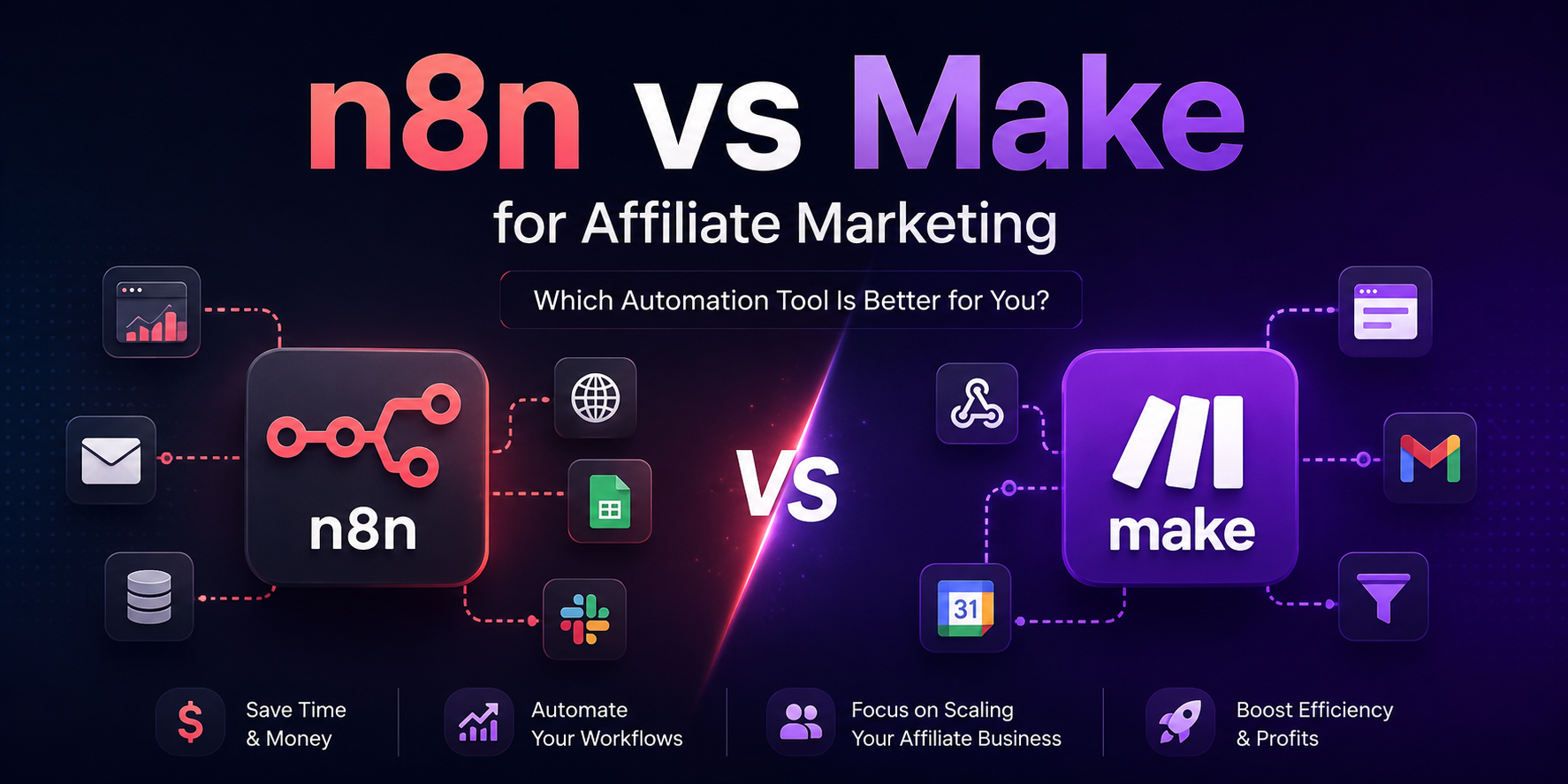
That’s what pushed most media buyers and affiliate teams toward n8n and Make. Both promise the same broad thing — connect your tools, remove the manual checking, get alerted before something goes wrong instead of after. But they get there in very different ways, and the difference matters a lot more once you’re managing real budgets across Keitaro, Voluum, Google Ads, and Facebook simultaneously.
This isn’t a generic “both are great” comparison. It’s written from the perspective of someone who has actually wired these two platforms into affiliate operations — budget alerts, creative approval chains, AI-generated ad copy, GEO monitoring, lead routing, all of it. We’ll go through where each platform wins, where it quietly falls apart, and which one you should actually be using depending on the kind of operation you run.

What Are n8n and Make?
Both are visual workflow automation tools. You drag in “nodes” or “modules,” connect them with lines, and define what happens when a trigger fires. Neither requires you to write full scripts to get value, though both let you drop into code when the built-in blocks aren’t enough.
Where they diverge is philosophy. Make is built to feel approachable — you build a “scenario,” watch data flow across the canvas in near real time, and everything is visual by default, including error handling. n8n is built more like software: JSON-based workflow definitions, native JavaScript and Python code nodes, sub-workflows you can call like functions, and a self-hosting option that hands you full infrastructure control.
Neither is “the beginner tool” and neither is “the advanced tool” in an absolute sense. Make is easier to pick up in a weekend. n8n rewards the extra learning curve with control that becomes valuable exactly when your automation needs stop being simple.
| Category | n8n | Make |
|---|---|---|
| Hosting | Cloud or fully self-hosted (Docker, VPS, on-prem) | Cloud-only |
| Pricing model | Execution-based (one workflow run = one execution, regardless of steps) | Credit-based (each module/action call consumes a credit) |
| Visual builder | Node canvas, JSON-based under the hood | Scenario canvas, more polished and beginner-friendly |
| AI integrations | Native AI Agent nodes, LangChain-style tool use, works with OpenAI, Claude, Gemini, local LLMs | Native AI modules for OpenAI, Claude, Gemini, and Stability AI, with an AI Agents feature added in 2026 |
| API flexibility | Full HTTP node, custom auth, native code nodes (JS/Python) | HTTP module available, but code execution is more limited and consumes more credits |
| Learning curve | Steeper — feels like light development work | Shallow — most people are productive within days |
| Self-hosting | Yes, free Community Edition with no execution caps | No |
| Enterprise readiness | Strong at scale, especially self-hosted (SSO, Git-based workflow versioning, environments) | Strong for mid-market teams, less so for infrastructure-heavy setups |
| Workflow philosophy | Build once, reuse everywhere, treat automation like code | Build fast, iterate visually, less overhead per scenario |
The practical takeaway for affiliate teams: Make gets you to a working budget alert or a reporting pipeline faster. n8n gets you to a system that keeps working cleanly once you have thirty campaigns and five people touching it.
Real Affiliate Use Cases
This is where the choice actually gets decided. Below are the workflows we get asked to build most often for affiliate and media buying teams, and which platform handles each one better in practice.
Google Ads Budget Alerts
The problem: Nobody wants to find out at 11pm that a campaign burned through its daily budget on a bad creative or a tracking bug. By the time you notice manually, you’ve already wasted spend you can’t get back.
The automation logic:
Campaign spends 80% of daily budget ↓Telegram notification ↓Slack message to media buying channel ↓Log entry in Google Sheet
Which platform is better: Make, for teams running a handful of accounts. This is a textbook Make scenario — a scheduled trigger checking the Google Ads API, a router to fan out to Telegram and Slack, a Google Sheets module to log it. You can build the whole thing in under an hour with no code.
n8n pulls ahead once you’re monitoring dozens of accounts across multiple ad platforms and want to add logic like “only alert if this is the second day in a row this campaign has hit 80%” — conditional logic that’s trivial in a code node but clunky to express purely with Make’s visual filters.

Facebook Ads Creative Approval
The problem: Media buyers upload dozens of creatives a day. Naming conventions break, uploads go out without manager sign-off, and the team lead ends up chasing people in Slack asking “did this get approved?”
The automation logic:
Creative uploaded ↓AI checks naming convention and metadata ↓Manager approval request ↓Approved creative pushed to team channel
Which platform is better: This is one of the few cases where n8n has a clear structural edge, because the “AI checks naming convention” step benefits enormously from a proper code node — regex validation against your naming schema, plus an LLM call to flag anything that looks off-brand or mismatched to the offer. Make can do this too using its AI modules, but you’ll burn noticeably more credits doing string validation through AI calls instead of a five-line script.
If your naming conventions are loose and you mostly want a simple “new creative → ping manager → approve/reject buttons” flow, Make handles that comfortably and faster to set up.
Daily Affiliate Dashboard
The problem: Your data lives in four different places — Keitaro or Voluum for conversions, Google Ads and Facebook for spend — and nobody wants to open four tabs every morning to figure out yesterday’s ROI.
The automation logic:
Pull data from Keitaro, Voluum, Google Ads, Facebook ↓Merge and normalize ↓Generate report ↓Send to Telegram
Which platform is better: n8n, hands down, once you’re merging more than two or three data sources. Merging inconsistent field names and currency formats from Keitaro, Voluum, and two ad platforms is exactly the kind of data-wrangling job that’s painful in a purely visual tool and straightforward in a code node with a proper JSON transform. We’ve built this exact pipeline in both tools, and the n8n version was roughly 40% fewer steps once the merge logic was in code instead of five chained Make modules.
Make still works fine here if you’re only pulling from one tracker and one ad platform — the visual merge is manageable at that scale.

AI-Powered Creative Generation
The problem: Media buyers need fresh ad angles constantly, and manually brainstorming headline variations for every GEO and offer doesn’t scale.
The automation logic:
Prompt ↓OpenAI (or Claude/Gemini) ↓Generate headline variations ↓Store in Notion ↓Notify designer
Which platform is better: Both handle this well, and this is genuinely close. Make’s AI modules are polished and quick to wire up, and their February 2026 AI Agents rollout made multi-step reasoning (generate → self-critique → refine) much easier to build visually. n8n’s AI Agent nodes are more flexible about swapping models mid-workflow and chaining tool calls, which matters if you’re running A/B tests between OpenAI and Claude outputs for the same prompt.
Pick Make if you want this running today with minimal fuss. Pick n8n if you plan to keep iterating on the prompt chain and want full control over retries, fallbacks, and model switching without hitting a credit wall.
GEO Monitoring
The problem: Landing pages get blocked, cloaked, or flagged by GEO faster than most teams can react manually, and a dead landing page mid-campaign is pure wasted spend.
The automation logic:
Landing pages ↓HTTP checks (status, content match, redirect behavior) ↓Telegram alert ↓Cloudflare API (rotate domain / clear cache)
Which platform is better: n8n. This workflow is essentially a polling job hitting HTTP endpoints on a schedule, and polling triggers are exactly where Make’s credit model punishes you — a check every five minutes across dozens of landing pages adds up to thousands of credits a month for something that costs nothing extra on n8n’s self-hosted Community Edition. If you’re monitoring more than a handful of URLs, this workflow alone can justify running self-hosted n8n.
Lead Routing
The problem: Leads coming out of a CRM need to hit the right Telegram group, get logged, and notify the sales or affiliate manager team — fast, before the lead goes cold.
The automation logic:
CRM ↓Telegram ↓Google Sheets ↓Slack
Which platform is better: Make, for most teams. This is a linear, low-complexity flow with no heavy data transformation, and Make’s polished trigger reliability on CRM webhooks makes it a fast, low-maintenance build. n8n can obviously do this too, but there’s no meaningful advantage here to offset the extra setup time — this is the kind of workflow where n8n’s power goes unused.

AI Integrations Compared
Both platforms have invested heavily in AI over the past year, but they approach it differently:
- OpenAI: Native, mature support on both platforms. No meaningful gap.
- Claude: Both platforms support Claude natively, including current Sonnet-tier models. n8n’s AI Agent nodes give you more granular control over tool calling and multi-step agent behavior; Make’s modules are faster to configure for straightforward prompt-in, text-out tasks.
- Gemini: Supported on both, with roughly comparable depth.
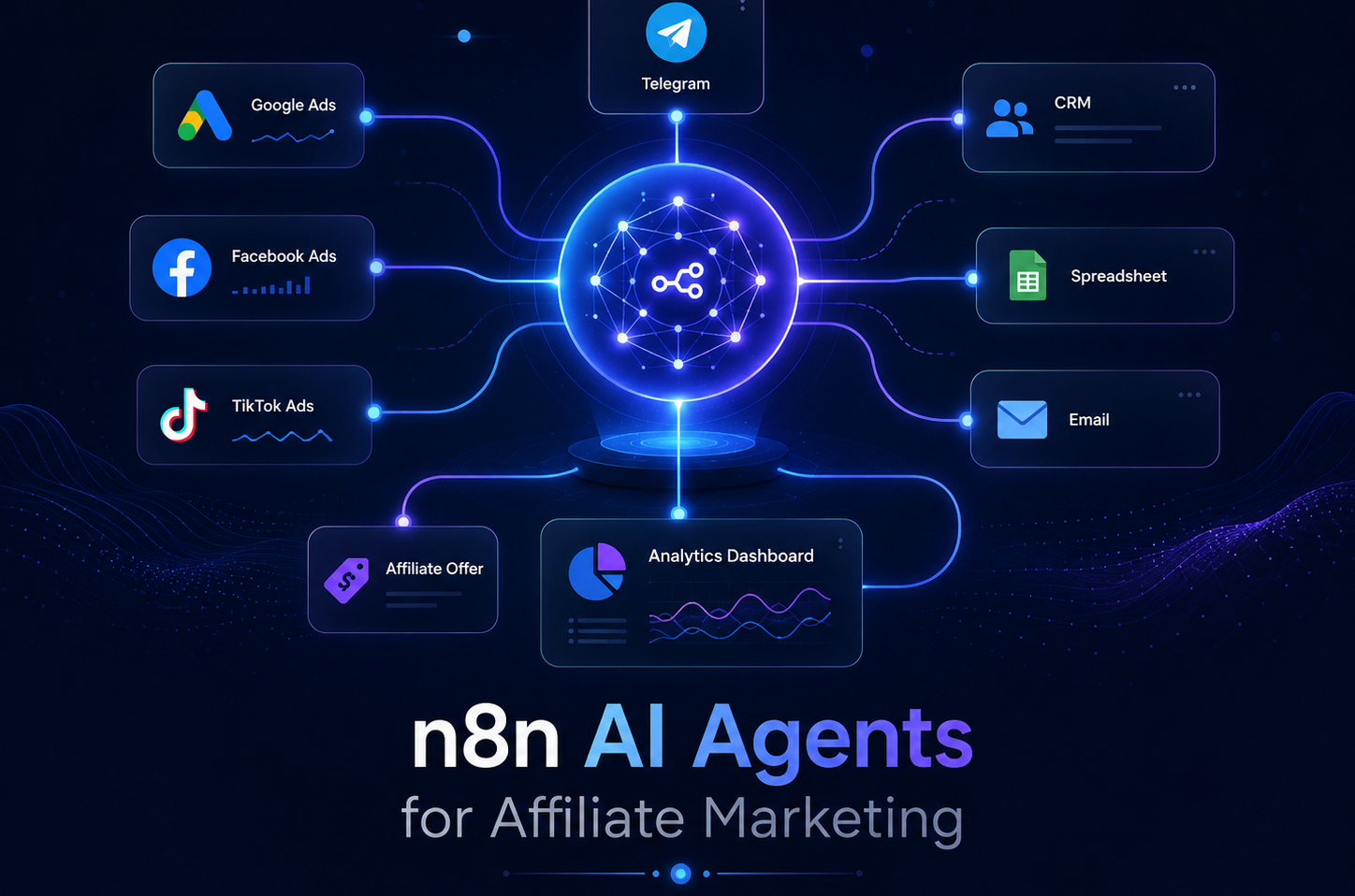
- Local LLM: This is where n8n pulls ahead clearly. Because n8n can be self-hosted, you can point its AI nodes at a locally-run model with zero data ever leaving your infrastructure — relevant if you’re running anything you don’t want touching a third-party API, or if you’re trying to cut AI API costs on high-volume creative generation. Make has no equivalent path since it’s cloud-only.
If your AI usage is mostly “generate ad copy, summarize a report, classify a lead,” either platform is fine. If you’re building anything closer to an autonomous agent — one that makes several decisions and tool calls per run — n8n’s agent framework is the more mature environment to build in.
Pricing: What It Actually Costs at Different Scales
The sticker prices look simple. The real cost depends entirely on your execution volume and how many polling-based workflows you run, which is where affiliate use cases (GEO monitoring, budget checks) tend to get expensive fast on credit-based pricing.
| Plan tier | Make | n8n |
|---|---|---|
| Free / entry | 1,000 credits/month, capped scenarios | Free self-hosted Community Edition, unlimited executions (infrastructure cost only) |
| Small team | Core, roughly $9–12/month for 10,000 credits | Starter, roughly $20–24/month for 2,500 executions |
| Growing team | Pro, roughly $16–21/month, priority execution | Pro, roughly $50–60/month for 10,000 executions |
| Agency / larger team | Teams, roughly $29–38/month, shared roles and permissions | Business, roughly $667–800/month self-hosted, 40,000 executions, SSO and Git-based versioning |
| Enterprise | Custom | Custom |
Solo affiliate: If you’re running two or three campaigns with light monitoring, Make’s Core plan is genuinely the cheaper and faster path. You’ll rarely hit credit limits at this scale unless you’re running frequent polling checks.
Agency managing multiple clients: This is where the math flips. An agency running GEO monitoring, budget alerts, and reporting dashboards across a dozen client accounts will chew through Make credits fast — polling alone can eat most of a Core or Pro plan’s monthly allowance. Self-hosted n8n on a modest VPS (roughly $10–40/month in infrastructure) with unlimited executions becomes dramatically cheaper at this volume, provided someone on the team can handle basic server maintenance.
Large media buying team: At real scale — hundreds of thousands of executions a month across budget monitoring, creative pipelines, and reporting — self-hosted n8n is close to unavoidable on cost grounds. Make’s enterprise tier can absolutely handle the volume, but you’re paying enterprise pricing for something n8n gives you on a VPS that costs less than a single day of ad spend.
The pattern to notice: Make’s pricing punishes frequency (polling-heavy workflows), while n8n’s execution-based model punishes step count within a single run less than it punishes how you architect self-hosting. If your affiliate workflows lean heavily on scheduled checks — and GEO monitoring and budget alerts both do — that alone should weigh your decision toward n8n once you’re past a handful of campaigns.
Performance, Reliability, and Debugging
In day-to-day use, the differences show up less in raw execution speed and more in how each platform behaves when something breaks — and in affiliate marketing, something always eventually breaks.
Make’s execution log is visual and genuinely pleasant to debug with — you can see exactly which module failed and what data it received, without digging through raw JSON. For a five-step scenario, that’s faster to troubleshoot than n8n’s more technical log view.
n8n’s advantage shows up in complex, branching workflows. Its execution history retains full input/output at every node (subject to your plan’s retention window), and because workflows are structured more like code, you can add proper error-handling sub-workflows, retries with backoff, and alerting on failure that behaves consistently across dozens of workflows — rather than configuring error handling scenario by scenario.
Real limitation worth knowing: Make’s polling-based triggers on lower app tiers run on fixed intervals (starting at 15 minutes on the free tier, 1 minute on paid plans) — not truly real-time, which matters if you’re trying to catch a budget overspend within seconds rather than minutes. n8n’s webhook-based triggers fire instantly regardless of plan, self-hosted or cloud.
Learning Curve: Who Should Choose What
Choose Make if: you want a working automation within a day, your team has no dedicated technical person, and your workflows are mostly linear (trigger → a few steps → notification). Most solo affiliates and small teams fit here.
Choose n8n if: you’re comfortable thinking in terms of data structures, you want workflows that behave predictably as they scale to dozens of campaigns, or you have — or plan to hire — someone who can maintain a self-hosted instance. Agencies and media buying teams with real technical capacity get more long-term value here.

Pros and Cons
Make
Pros: fastest time to a working automation, best-in-class visual debugging, lower entry cost for light usage, polished AI module integrations.
Cons: credit costs scale painfully with polling-heavy workflows (exactly what GEO monitoring and budget alerts need), no self-hosting option at all, code execution is limited and consumes disproportionate credits, harder to build reusable logic across scenarios.
n8n
Pros: free, unlimited self-hosting, execution-based pricing that rewards complex multi-step workflows, native code nodes for real data transformation, strongest option for AI agents and local LLMs, instant webhook triggers on every plan.
Cons: real learning curve — this is closer to light software development than “no-code,” self-hosting requires someone to own server maintenance and updates, cloud plan execution limits get eaten fast by polling workflows if you don’t self-host, community support is more technical and less hand-holding than Make’s documentation.
Final Verdict
Solo affiliate: Make. You need speed, not scale, and the visual builder gets you automating within a day.
Agency: n8n, specifically self-hosted, once you’re managing more than a handful of client accounts. The cost math and the reusability of workflows across clients both favor it.
Media buying team: n8n. Budget alerts and GEO monitoring are polling-heavy by nature, and that’s precisely where Make’s credit model becomes expensive fast.
AI-heavy workflows: n8n, if you’re building anything closer to an autonomous agent or want to run local models. Make, if your AI usage is limited to single prompt-response calls inside a simple scenario.
Beginners with no technical background: Make, without hesitation.
Developers or technically comfortable teams: n8n. You’ll get more out of it faster than the learning curve suggests.
Decision Matrix
| If you need… | Choose |
|---|---|
| A working automation today, no setup pain | Make |
| Unlimited workflow executions without cost scaling | n8n |
| Full self-hosting and infrastructure control | n8n |
| The easiest possible visual interface | Make |
| Serious AI agents or local LLM support | n8n |
| Best visual debugging for simple scenarios | Make |
| Cost efficiency on polling-heavy workflows (GEO checks, budget alerts) | n8n |
| Fast onboarding for a non-technical team | Make |

FAQ
Yes, for self-hosting. The Community Edition is free with unlimited executions — you only pay for the server it runs on. n8n’s paid cloud plans exist for teams that don’t want to manage their own infrastructure.
For most affiliate workflows, yes. The trade-off is setup time and technical comfort, not capability — n8n can do virtually everything Make does, plus more, but it takes longer to get there initially.
It depends on scale. Solo affiliates and small teams tend to do better on Make. Agencies and media buying teams running dozens of campaigns get more value from self-hosted n8n, mostly because of how the two platforms price polling-heavy workflows differently.
Yes, on a basic VPS. Docker Compose setups are common and typically run $10–40/month depending on workflow volume and concurrency needs.
n8n. Its AI Agent nodes give you finer control over tool calling, model switching, and multi-step reasoning, and self-hosting opens the door to local LLMs.
Yes — Make bills by credits, and every module call in a scenario consumes at least one. Polling-heavy workflows (checking something every few minutes) burn through credits fast.
It’s more technical than Make. Expect a real learning curve if you’ve never worked with JSON, APIs, or basic scripting concepts — though the node-based canvas still makes it far more approachable than writing raw code.
There’s no automated migration tool between the two. Workflows need to be rebuilt manually, though the core logic (triggers, actions, conditions) translates conceptually without much friction.
Yes. Both platforms can hit Keitaro’s API via their HTTP modules/nodes for pulling conversion and traffic data into reports or alerts.
Yes, both have native OpenAI integrations, and both also support Claude and Gemini for teams that want to compare model output or reduce reliance on a single provider.
Neither has a structural advantage here — both rely on the same underlying APIs, so when Google or Meta changes an endpoint, both platforms need node/module updates. n8n’s self-hosted option means you’re not waiting on a vendor release cycle if you need to patch an HTTP call yourself in the meantime.
No, but knowing enough to read and lightly edit a JavaScript snippet will get you significantly more value out of it. Make requires effectively no coding at all.


Leave a Reply