
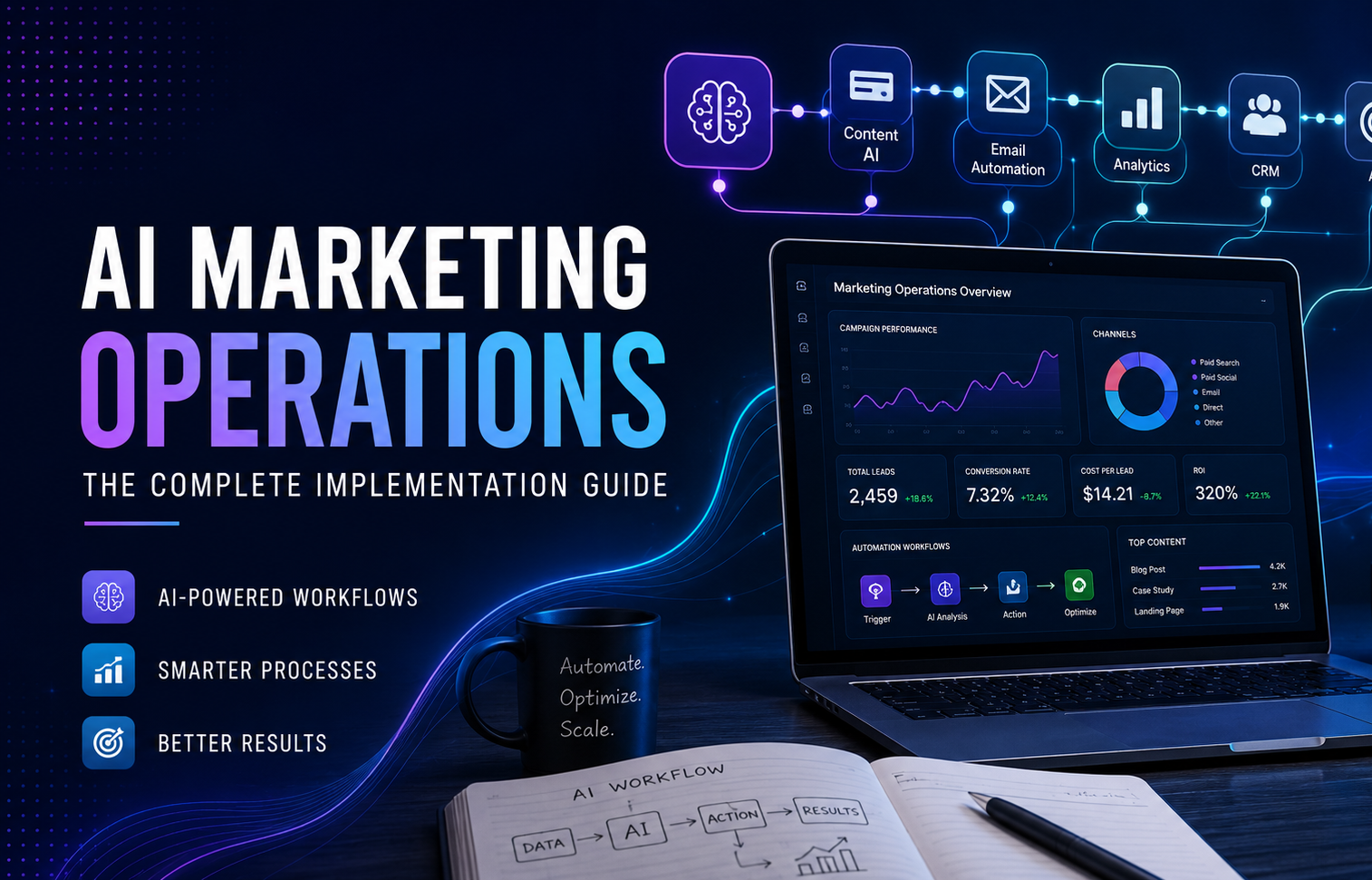
The obvious story about AI in marketing is that content gets produced faster. That story is true, and it’s also the least interesting part of what’s actually happening. The real shift is one layer down — in how marketing work moves through a team once AI stops being a tool someone opens and starts being part of the operational plumbing itself.
Campaign planning, reporting, lead qualification, creative production, campaign optimization, internal communication — every one of these processes is being quietly rebuilt. Not automated in the old “if this, then that” sense, but restructured around a system that can observe data, draft a decision, and hand it to a human for a final call instead of doing the first ninety percent of the work manually.
That’s the actual subject of this guide: AI marketing operations. Not which AI tool to buy next, but what changes inside a team once AI sits inside the operational layer instead of next to it. If you’ve already read our guide to AI Marketing in 2026, you have the tools-and-tactics picture. This is the layer underneath it — the workflows, the reporting cadence, the decision loops, and the org-chart questions that decide whether AI actually changes how a team runs, or just becomes a faster way to do the same slow thing.
What Are AI Marketing Operations?
Most teams conflate three different things when they say “we use AI in marketing.” Separating them is the first useful thing you can do before implementing anything.
- AI tools — a person opens an AI product, types a prompt, copies the output. The workflow around the tool hasn’t changed; the person just has a faster typewriter.
- AI workflows — several AI steps chained together, usually through automation software like n8n or Make, so a task such as “summarize yesterday’s campaign performance” runs without someone triggering each step by hand.
- AI operations — the workflows are wired into how the team actually runs: reporting cadence, escalation rules, budget alerts, creative approval, documentation. AI isn’t a task inside the process anymore; it’s part of the process’s architecture.
The confusion matters because most companies stop at stage one and then wonder why “AI adoption” hasn’t moved any real number. A media buyer using ChatGPT to draft ad copy faster is still doing the same job, just slightly quicker. Decision latency, reporting cadence, and team structure haven’t changed at all.
AI marketing operations means the AI layer sits inside the operational plumbing itself — pulling data from ad platforms, flagging anomalies, drafting the report before anyone asks for it, routing an underperforming campaign into a Slack channel with a recommended fix already attached. The team’s job shifts from “produce the analysis” to “review and approve the analysis.”
This is also why “AI marketing operations” and “marketing operations AI” get used almost interchangeably, even though the emphasis is slightly different — the first describes a redesigned operating model, the second usually describes an AI feature bolted onto an existing MOps stack. In practice, the teams getting real value are building the former, not just buying the latter.

Fig. 1 — AI Marketing Operations architecture: research, creative production, campaign management, reporting, and optimization connected through automation.
Traditional Marketing vs AI Marketing Operations
The differences show up less in what gets done and more in who produces the first draft of it, and how long that draft takes to reach someone who can act on it. Traditional marketing operations run on scheduled human cycles — weekly reports, biweekly optimization reviews, meetings for alignment. AI marketing operations compress that cycle into something closer to continuous: the analysis exists before someone asks for it, and the human’s job moves from production to approval.
| Function | Traditional Marketing Operations | AI Marketing Operations |
|---|---|---|
| Planning | Manual research, spreadsheets, team brainstorm sessions | AI-assisted research synthesis; human sets strategy and constraints |
| Reporting | Analyst pulls data, builds slides, sends weekly | Reports generated daily; human adds commentary and judgment |
| Creative production | Designer/copywriter builds each asset from scratch | AI drafts variants at scale; human selects and refines |
| Analysis | Manual dashboard review, delayed by hours or days | AI flags anomalies and patterns in near real time |
| Communication | Status updates written manually, meetings for alignment | AI summarizes threads and drafts updates; escalates only exceptions |
| Optimization | Scheduled reviews, weekly or biweekly | Continuous monitoring with human-approved changes |
| Decision making | Centralized, slower, dependent on the report cycle | Distributed, faster, supported by live data access |
| Execution | Manual implementation of every change | AI proposes changes; human approves higher-risk actions |
Core Components
AI Research
Before a campaign brief gets written, someone still has to understand the market, the competitors, the audience, and the angle. AI research doesn’t replace that step — it compresses it. A researcher who used to spend a day pulling competitor ad libraries, scanning reviews, and summarizing a niche can now get a structured first pass in under an hour, then spend the rest of the day validating it and adding the judgment the AI doesn’t have. The risk is quality control: research that’s wrong moves fast and compounds downstream into a bad brief, a bad angle, and wasted media budget. Teams that get this right treat AI research output as a draft to be checked, not a source to be trusted — a distinction we cover in more depth in our guide to the best AI tools for affiliate marketers.
Creative Production
Images, ad copy, landing pages, and short video have all moved from “produce one asset” to “produce a batch, then pick.” A designer or copywriter’s job shifts from creating everything from a blank page to briefing the system, generating a spread of variants, and doing the curation and refinement that actually requires taste. This changes testing velocity more than it changes the quality of any single asset — a team that used to test three ad variants a week can realistically test fifteen to twenty once generation stops being the bottleneck.
Campaign Management
This is where the operational shift is most visible. Instead of a person logging into an ad platform, pulling numbers, and deciding whether to act, an AI system connected to the platform’s data — increasingly through standardized connection layers such as MCP — can monitor spend, flag budget-pacing issues, and draft a recommended action continuously rather than on a weekly review cycle. Combined with automation tools like n8n, this turns campaign management into a monitoring-and-approval loop rather than a manual pull-and-analyze cycle. We cover the practical setup for this in our comparison of self-hosted n8n vs n8n Cloud and our breakdown of n8n vs Make for marketing workflows.
Reporting
Reporting is usually the first thing teams automate, and for good reason — it’s high-effort, low-judgment work. Daily and weekly reports, live dashboards, and executive summaries can be generated automatically from the same data a human analyst would otherwise have pulled manually. The job shifts from “build the report” to “read the report and add the one insight the system missed.” Done well, this alone frees up several hours a week per person — time that gets redirected into the parts of the job that actually require a strategist.
Knowledge Management
Every team accumulates tribal knowledge that lives in people’s heads, old Slack threads, and half-updated Notion pages. AI operations give that knowledge a place to live and a way to stay current — SOPs drafted from actual team conversations, documentation that updates when a workflow changes, and a searchable layer that means a new hire doesn’t have to interrupt three people to find out how a campaign type actually gets launched.
Communication
Status updates, standups, and cross-team alignment consume more hours than most teams admit. AI summarization across Slack, Telegram, Notion, and email compresses noise into signal — drafting the update instead of someone writing it from scratch, and escalating only the exceptions that actually need a human decision. The goal isn’t fewer conversations; it’s fewer conversations about things that didn’t need one.
Real Workflow Examples
Three patterns show up repeatedly across teams that have actually implemented this, rather than just talked about it. Each one follows the same shape: a trigger, an AI step that does the analytical heavy lifting, and a human checkpoint before anything consequential happens.
Example 1 — Daily Optimization Reporting
Google Ads → n8n → Claude → Telegram → daily optimization report. An n8n workflow pulls yesterday’s spend, conversion, and CPA data from the Google Ads API on a schedule, passes it to Claude for anomaly detection and copy recommendations, and posts a formatted summary to a Telegram channel before the team’s morning check-in. The buyer reviews the report and approves or overrides the suggested changes — the analysis is already done before anyone logs in. This pairs well with the checklist approach in our Google Ads optimization checklist.

Fig. 2 — Google Ads data flowing through n8n and Claude into a Telegram daily report.
Example 2 — Affiliate Campaign Monitoring
Tracker → AI → alert → team notification. A tracker such as Keitaro or Binom exports conversion and EPC data on a schedule. An AI step compares current performance against a rolling baseline per GEO and offer, flags anything outside the normal range, and drafts a hypothesis — a sudden EPC drop in one GEO, a lander that stopped converting, a spike in bot traffic — before sending an alert to the team channel. The team’s job is confirming the diagnosis and executing the fix, not first noticing there’s a problem.

Fig. 3 — A tracker feeding data through an AI monitoring layer that sends alerts to a team channel.
Example 3 — Creative Generation Pipeline
Prompt → image generation → review → publishing. A structured prompt covering product, angle, format, and GEO feeds an image generation step that produces a batch of variants. A human reviewer selects, edits, and approves before anything goes live. The bottleneck moves from production to curation, which is a better bottleneck to have.

Fig. 4 — Prompt input, image generation, human review, and publishing steps.
| Workflow | Trigger | AI Role | Output | Human Role |
|---|---|---|---|---|
| Google Ads daily report | Scheduled (daily) | Analyze spend, flag anomalies, draft recommendations | Telegram report | Approve or adjust budget changes |
| Affiliate tracker monitoring | Real-time / hourly | Compare EPC/CR against baseline, hypothesize cause | Alert to team channel | Confirm diagnosis, execute fix |
| Creative generation | Manual or scheduled | Generate variants from a structured brief | Draft images / ad copy | Select, edit, approve for publishing |
AI Marketing Operations by Team Size
Solo affiliate. One person doesn’t need enterprise process — they need personal leverage. The priority is a daily performance report and a small number of alert triggers that replace the habit of manually checking the tracker every hour.
Agency. Multiple accounts mean the value is in repeatability, not sophistication. A workflow that works for one client should be templated to work for all of them, with per-client escalation rules so nothing falls through when volume scales.
Growing SaaS. Marketing starts touching product and sales data — lead scoring, CRM sync, attribution across a longer funnel. The priority shifts from single-channel monitoring to integration across systems that weren’t built to talk to each other.
Enterprise. Compliance and risk control dominate. The practical question isn’t whether to give an AI system access to a platform — it’s whether that access is read-only or read-write, and who approves the move from one to the other. Most enterprise teams should start with read-only reporting and prove the workflow before granting any system the ability to actually change a live campaign.

Fig. 5 — AI operations maturity across solo, agency, SaaS, and enterprise team sizes.
| Team Size | Priority | First Workflow to Build | Governance Level |
|---|---|---|---|
| Solo affiliate | Speed, personal leverage | Daily performance report + alerts | Minimal — self-review |
| Agency | Repeatability across accounts | Templated client reporting | Per-client approval rules |
| Growing SaaS | Cross-functional integration | Lead scoring + CRM sync | Manager review on spend changes |
| Enterprise | Compliance, risk control | Read-only reporting layer first | Tiered permissions, audit trail |
KPIs
The metrics that should actually move are specific, not a vague sense that “things feel faster.” Track a baseline before touching a workflow, then measure the same metric after — the improvement has to be attributable to a specific change, not a general impression across the quarter.
| KPI | Before AI Operations | After AI Operations | How to Measure |
|---|---|---|---|
| Reporting time | Hours per week, per analyst | Minutes for review and edit | Time tracked per report cycle |
| Campaign launch speed | Days from brief to live | Hours from brief to live | Time from brief to live campaign |
| Decision latency | 24–48 hours, data to action | Same-day | Time from anomaly detected to action taken |
| Creative production | A few variants per week | Dozens of variants per week | Assets produced per sprint |
| Cost / error reduction | Manual entry mistakes, missed budget caps | Fewer routine errors; new error types to watch for | Audit of flagged issues vs. actual issues |
The most common mistake here is claiming a KPI improved without ever measuring the baseline. “We save so much time now” isn’t a number anyone can act on.
Common Mistakes
- Buying too many AI tools. A subscription isn’t a workflow. Tools without a process to plug into just add another login to check.
- Automating a broken process. AI makes a bad decision faster, not a better one. Fix the process first.
- Skipping documentation. If only the person who built the automation understands it, it’s a liability, not an asset — the moment they’re out, it breaks silently.
- Not measuring ROI. “It feels faster” isn’t a KPI. Measure the specific metric the workflow was supposed to move.
- Removing human review too early, especially on anything touching spend. Teams that get burned are usually the ones that gave a system write access before proving the read-only version worked.
- Treating AI output as ground truth instead of a draft. Every example in this guide assumes a human approves the final action — that’s not a limitation, it’s the design.
Implementation Roadmap
A realistic rollout takes about ninety days, not a weekend.
Month 1 — Audit and infrastructure. Map the team’s actual repetitive tasks and pick the one with the clearest, most measurable payoff — usually reporting. Set up the underlying infrastructure: an automation platform such as n8n, API access to the platforms you’ll pull data from, and API access to the AI model doing the analysis.
Month 2 — Build and measure. Get two or three workflows live with a human review checkpoint built into each one. Start tracking baseline KPIs so month three’s results actually mean something.
Month 3 — Scale and document. Expand into a second category — campaign monitoring is a common next step after reporting — and write down how each workflow actually works. A workflow that only survives as long as its builder is still on the team isn’t operations yet; it’s a personal habit.

Fig. 6 — 90-day AI marketing operations implementation roadmap across three months.
| Month | Focus | Key Deliverable | Success Metric |
|---|---|---|---|
| Month 1 | Audit & infrastructure | One automated workflow live (reporting) | Runs without daily manual intervention |
| Month 2 | Expand & measure | 2–3 workflows live with review checkpoints | Baseline KPIs established |
| Month 3 | Scale & document | SOPs written, team trained, escalation rules set | Workflow survives without its original builder |
Future Trends
Model Context Protocol (MCP) is the part of this that’s moved fastest from theory to infrastructure. Anthropic released it as an open standard in late 2024; by early 2026 it had gone from a niche developer tool to something major CRM and marketing platforms — HubSpot, Salesforce’s Agentforce, Adobe’s Marketo Engage, and ActiveCampaign among them — ship natively, and in December 2025 stewardship moved to the Linux Foundation’s Agentic AI Foundation, with OpenAI, Google, Microsoft, and AWS all behind it. What that means practically: an AI agent can pull performance data across ad platforms, CRMs, and analytics tools through one standardized connection instead of a custom integration for each one.
The practical governance question isn’t whether to adopt this — it’s read-only versus read-write access. Read-only monitoring, where an agent can see spend data but not touch it, is close to zero-risk and is where almost every team should start. Read-write access, where an agent can actually pause a campaign or change a budget, is genuinely useful but deserves the same approval process you’d want for a junior team member with production access, not less.
It’s also worth being honest about the gap between claims and reality here. Surveys of marketing leaders through 2026 consistently show a wide split between stated ambition and actual implementation — most organizations report using AI to assist with discrete tasks, and only a small minority run genuinely autonomous, multi-agent campaigns. Agent-to-agent coordination, where multiple specialized agents hand work off to each other, is real but earlier-stage than MCP, and most of what’s marketed today as “autonomous marketing” is still a human approving every consequential step — which, per the mistakes section above, is exactly how it should work for now.
Conclusion
None of this is about collecting more AI tools. A team with five AI subscriptions and no redesigned workflow is in the same position it was before — just with a bigger software bill. The advantage goes to teams that rebuild the actual path work takes: who drafts the first version, how fast an anomaly reaches a decision-maker, what gets automated versus what still needs a human’s judgment. That’s the operational layer this guide has been describing, and it’s the one that actually compounds.
FAQ
What are AI marketing operations?
The redesign of marketing workflows so AI systems handle first-draft research, reporting, monitoring, and creative production, with humans reviewing and approving rather than producing everything from scratch.
How are AI marketing operations different from marketing automation?
Traditional automation runs fixed rules — if this, then that. AI operations add a reasoning layer that can analyze unstructured data, draft recommendations, and adapt. Automation executes; AI operations also interpret.
Do small businesses or solo affiliates need AI operations?
Yes, arguably more than large teams — a solo affiliate gets the most leverage per hour saved, since there’s no team to delegate to instead.
What tools are required to get started?
An automation platform such as n8n, API access to the platforms you monitor, and an AI model with API access. Nothing more exotic is required for the first workflow.
Can AI replace marketing managers?
No. It replaces the manual first-draft work a manager used to do or delegate, which frees the manager for strategy, judgment calls, and the exceptions AI flags but can’t resolve alone.
How do agencies benefit most from AI operations?
Repeatability. A workflow built once can be templated across every client account instead of rebuilt manually for each one, which is where agency margin actually comes from.
How long does implementation take?
A realistic first phase is about ninety days for one or two workflows to go from idea to a documented, running process — see the roadmap above.
What should be automated first?
Reporting, almost always. It’s high-effort, low-judgment work with a clear before/after metric, which makes it the easiest place to prove the model works.
What’s the difference between an AI tool, an AI workflow, and AI operations?
A tool is something a person opens manually. A workflow chains AI steps together automatically. Operations means those workflows are wired into how the team actually runs — reporting cadence, escalation, documentation.
How much human review should stay in the loop?
All of it for anything touching spend or anything published externally, at least until a workflow has a track record. Read-only monitoring can run with lighter review than read-write actions.
What are the biggest risks of AI marketing operations?
Automating a broken process, removing human review too early, and treating AI output as verified fact instead of a draft that still needs a second look.
How do I measure ROI on AI operations?
Pick one specific metric per workflow — reporting time, campaign launch speed, decision latency — measure the baseline before automating, and compare it after. A vague impression of “faster” doesn’t count as measurement.


Leave a Reply