
Three weeks ago one of our media buyers pinged me at 11 p.m. with a screenshot: a batch of forty native creatives, all rejected by the same ad network, same reason code, same GEO. He’d generated them with an AI tool the day before, pushed them live without anyone actually reading the moderation guidelines for that market, and by the time the network flagged them we’d already burned two days of the campaign window. That’s the story that convinced me to write this down properly, because the failure wasn’t the AI. The failure was that we treated AI output like it didn’t need the same scrutiny as a human-made creative. It does. Arguably more.
I’ve spent the last year and a half rebuilding how our team runs performance campaigns — CPA, iGaming, some dating verticals — around AI and n8n, not as an experiment on the side but as the actual production line. This is not a pitch for “AI marketing” in the abstract. It’s the framework we use, the tools that stuck, the ones we dropped, and the numbers we can actually stand behind. If you’re a media buyer or a team lead who’s already played with ChatGPT for ad copy and wants something more structural, this is for you.

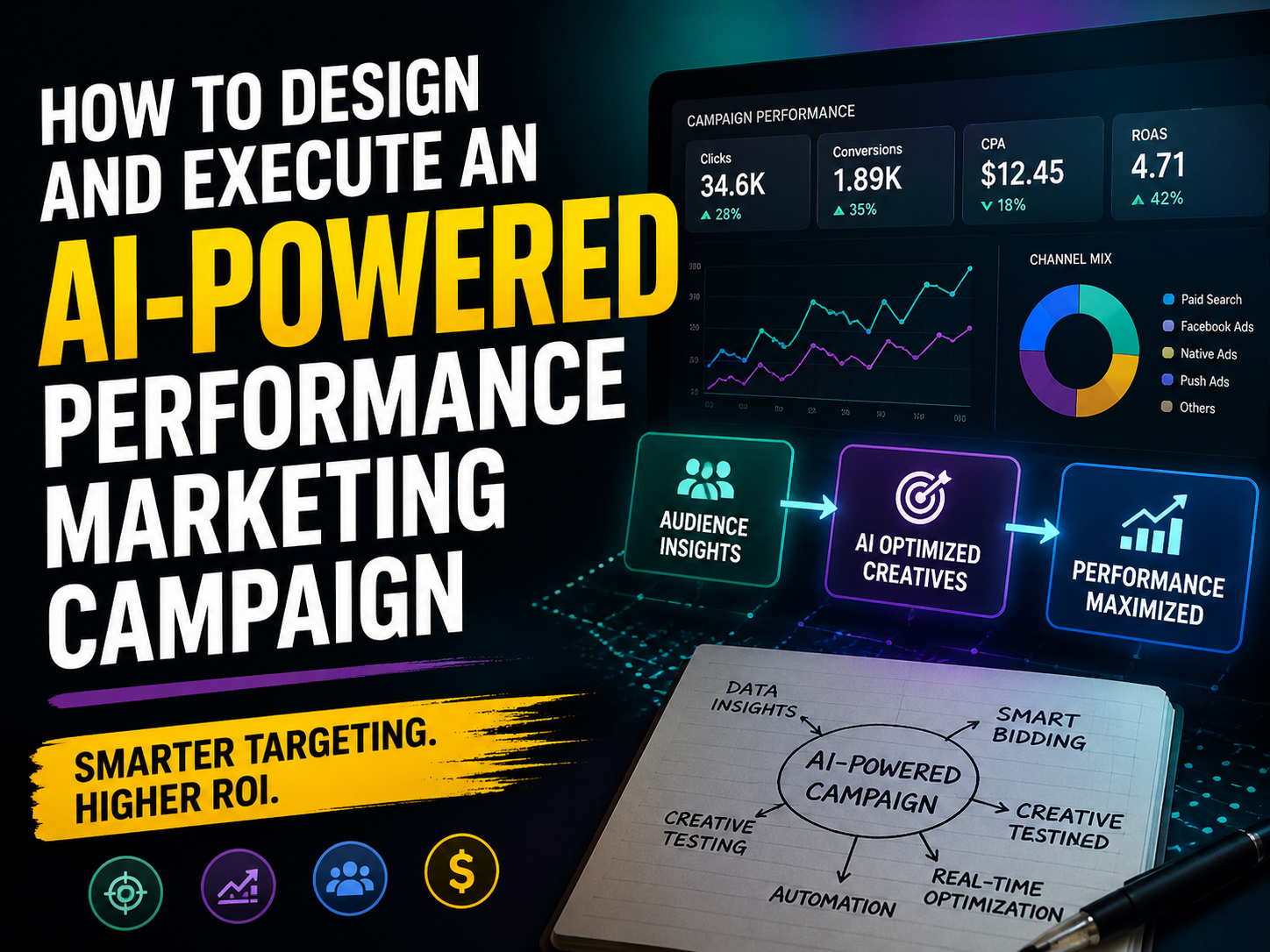
Overview of the AI-native performance campaign framework: offer/GEO selection, creative production, n8n automation, and the tracking feedback loop
Why performance campaigns need a different AI framework than brand marketing
Most AI marketing content is written for brand teams. It’s about tone of voice, content calendars, campaign ideation — slow-moving stuff where a wrong output costs you an afternoon of revisions. Performance marketing doesn’t work on that clock. A campaign in iGaming can burn through a five-figure budget in a day if your CPA drifts, and a rejected creative batch in a competitive GEO can mean losing the placement slot entirely, not just the ad spend.
That difference is why I split AI usage into two buckets: AI-assisted and AI-native. AI-assisted is what most teams already do — someone opens ChatGPT to brainstorm ad angles, or asks Midjourney for a banner concept, then manually does everything else: uploads to the ad account, sets up the tracker, checks performance by eye. It’s useful, but it’s still a human doing the workflow with an AI tool as a helper on the side.
AI-native is different. The AI isn’t a tool you consult, it’s a stage in a pipeline that runs whether or not you’re watching it. Offer screening, creative variation, tracker setup, anomaly detection — each of these is a node that takes input from the previous step and produces output for the next one, largely without a person clicking through every stage manually. The person’s job shifts from doing the work to designing the pipeline and catching what the pipeline gets wrong.
This matters because performance marketing has a brutal tolerance for delay. If your creative pipeline needs a person free on a given afternoon to move forward, you’ve built a bottleneck that scales with headcount, not with campaign volume. The AI-native approach is slower to set up — building an n8n flow properly took our team roughly six weeks of iteration, not a weekend — but it’s the only way we’ve found to run more GEOs and more creative variants without proportionally growing the team.
None of what follows assumes you throw a prompt at a model and trust the output. Every stage still has a human checkpoint. The difference is where that checkpoint sits and how much of the surrounding work is already done by the time a person looks at it.
There’s also a team-structure question buried in this that most articles skip. Moving from AI-assisted to AI-native changes what you actually need people for. We used to need a junior media buyer mostly for repetitive setup work — sourcing images, filling in tracker fields, copying campaign structures between GEOs. That role has mostly disappeared from our team, not because we cut headcount, but because the people who used to do that work now spend their time reviewing pipeline output and handling the GEOs and offers that don’t fit the standard template. It’s a more senior job with less busywork in it, which is a good outcome for the people who make that transition well, and a genuinely uncomfortable one for anyone whose value was mostly in doing the repetitive part fast.
Step 1 — Offer and GEO selection with AI
This is the stage most teams skip when they talk about “AI marketing,” and it’s the one that actually saves the most wasted spend. Before a single creative gets made, we run every candidate offer through a screening pass that checks it against GEO-specific compliance and moderation history.
Using AI to screen offers against compliance and moderation risk by GEO
Here’s roughly how it works in practice. We keep a running document — really a structured knowledge base — of moderation rejections by network and GEO: what got flagged, what the stated reason was, what worked as a workaround. When we’re evaluating a new offer, we feed the offer landing page, the vertical, and the target GEO into a model with that knowledge base as context, and ask it to flag likely friction points before we spend a dollar on traffic.
Brazil is the example I keep coming back to, because it’s where this actually saved us from a bad launch. We were looking at an iGaming offer that looked strong on paper — decent payout, clean landing page, established brand. The screening pass flagged that the specific bonus mechanic used language that Brazilian ad networks had been rejecting under updated gambling-advertising rules, something that had shown up in our rejection logs from a similar offer two months earlier but hadn’t made it into anyone’s mental checklist yet. We wrote about this in more depth in our Brazil iGaming GEO breakdown, including which specific claims trigger review and which don’t. Catching that before launch meant we adjusted the pre-lander copy instead of losing a moderation review cycle, which in that network runs three to five business days.

Offer screening decision tree by GEO, showing compliance and moderation check branches
What the AI is actually good at here is pattern-matching against a large, messy set of past rejections faster than a person can scan it. What it’s bad at is knowing when a rule has changed since the last time we updated the knowledge base — regulatory language shifts, and if nobody feeds the model the update, it will confidently tell you something is fine when it isn’t anymore. So this step still ends with a person, usually whoever owns that GEO, sanity-checking the flagged risks against anything they’ve heard informally from the network reps. AI narrows the list from twenty offers to four worth testing. It doesn’t make the final call.
One thing I’d push back on if you’ve read other “AI marketing efficiency” content: the efficiency gain here isn’t from the AI being smarter than your team about compliance. It’s from the AI reading faster than your team can. A senior media buyer with two years in a GEO already has good instincts. What they don’t have is the bandwidth to reread every rejection log before every offer decision, especially when they’re juggling six active campaigns.
Step 2 — Building the creative production pipeline
Once an offer clears the GEO screen, creative is next, and this is the stage where the volume gains are most obvious and most overstated at the same time.
AI image and video generation for native, Facebook, and Google Ads placements
We generate first-pass creative variants with AI image and video tools rather than briefing a designer from scratch for every angle. The tools we actually keep using — and this changes every few months, so treat it as a snapshot rather than gospel — are a mix of image models for static native and Facebook creative, and short-form video generators for the vertical video placements that Facebook and TikTok-style native networks favor now. We went through a fairly detailed comparison of the generators we tested, what each one is actually decent at versus what gets flagged for looking synthetic, in our AI creative generator tools breakdown, and I’d point anyone starting this stage there before picking a default tool, because the “best” one depends heavily on your vertical — dating creative and iGaming creative get rejected for very different reasons.
The actual pipeline looks like this: a creative brief — vertical, GEO, angle, placement type — goes into a prompt template that a model expands into five to eight specific creative directions. Each direction gets generated as a batch of two or three variants. A human picks the ones that look native to the placement rather than obviously AI-generated, because moderation systems on most networks have gotten noticeably better at flagging synthetic-looking imagery over the past year, especially anything with the slightly-too-smooth skin or the uncanny hand problem that older models had. That review step used to take one person about three hours per GEO per day when we did it manually with a designer sourcing stock images and doing manual edits. With the AI-generation-plus-human-curation approach, the same volume of creative variants takes closer to forty minutes of actual human review time, because the model does the raw generation and the person is only filtering, not producing.

Creative production pipeline from brief to placement-ready asset
Video is a harder story than image. We use AI video generation for early-stage testing — cheap variants to find which angle resonates before spending on a proper production — but for anything scaling past initial testing, we still hand off to a human editor for final cuts, because the failure mode on AI video (slightly off lip-sync, inconsistent motion, artifacts in busy scenes) is much more visible to a viewer than a static image flaw, and it tanks CTR in a way that’s hard to catch until the data is already in. So our honest position: AI video is good for volume at the ideation stage, not yet reliable enough to be your only source of scaling creative for paid placements where a bad render costs you real spend.
The output of this whole stage isn’t “final creative ready to launch.” It’s a shortlist of variants that a media buyer would have taken two to three times longer to produce manually, now ready to move into the automation layer.
Step 3 — Building the automation layer in n8n
This is the part of the framework that actually ties everything together, and it’s also the part most teams get wrong on the first attempt, us included. Our first version of this flow was too ambitious — we tried to automate the entire launch end to end with no human checkpoint, and within a week we had a campaign that launched with the wrong tracker template attached to it because a variable didn’t map the way we assumed it would. Nobody caught it until the numbers looked wrong two days later.
Campaign brief → AI creative brief → tracker setup → launch, as one n8n flow
The version we run now has a human touchpoint at two specific junctions, and everything else runs automatically. If you’ve read our earlier pieces on automating Google Ads campaign setup with n8n and building AI agents into media buying workflows, this flow builds directly on both, combining offer intake with the creative generation step above.
At a high level, the flow does this:
- A campaign brief (offer, GEO, budget, placement type) comes in through a form, and an n8n workflow parses it and pulls in the relevant compliance notes from Step 1 automatically.
- That brief gets passed to an AI node that expands it into a structured creative brief — angles, copy variants, image/video prompts — which then triggers the generation calls from Step 2.
- A human reviews and approves the creative shortlist inside a lightweight interface we built on top of the n8n flow, rather than in a spreadsheet, which cut our back-and-forth time noticeably because approvals happen where the assets already live.
- Once approved, the flow auto-populates the tracker (we run this mostly with Keitaro, some accounts on Voluum) with the correct campaign structure, sub-IDs, and postback settings pulled from a template matched to that offer type.
- The campaign launches into the ad platform via API where that’s supported, or generates a launch-ready package for manual upload where it isn’t — Google Ads and Facebook APIs differ enough in what they’ll let you automate that we don’t pretend this part is fully hands-off everywhere yet.

n8n automation flow from campaign brief through AI creative brief, tracker setup, and launch
The second human checkpoint sits right before launch, specifically checking tracker configuration, because that’s where the cost of an automation mistake is highest — a misconfigured postback can run silently for hours before anyone notices the numbers don’t add up, and by then you’ve already spent the budget on unmeasured traffic.
Building this took longer than expected mostly because of GEO-specific tracker quirks — templates that worked fine for one network’s postback format broke silently on another, and n8n’s error handling needed to be more paranoid than we initially built it, with explicit validation steps rather than assuming the API call succeeded just because it didn’t throw an error. If you’re building something similar, budget real time for edge cases in the tracker integration specifically. That’s where things quietly break.
Step 4 — Tracking, feedback loop, and optimization
Getting a campaign launched through an automated pipeline is only half the value. The other half is what happens once traffic starts flowing, and this is where most “AI marketing” writing gets vague, because the feedback loop is genuinely harder to build well than the launch pipeline.
Feeding Keitaro, Voluum, or RedTrack data back into AI to catch CTR, CR, and CPA anomalies
We pull hourly exports from whichever tracker the campaign runs on — mostly Keitaro, sometimes RedTrack depending on the client setup — and feed the structured data into a model with context on what “normal” looks like for that offer and GEO, based on historical performance for similar campaigns. The model isn’t predicting anything mystical here. It’s doing what a sharp media buyer does when they glance at a dashboard and go “wait, that CTR jump doesn’t match the CR, something’s off” — except it’s checking every active campaign every hour instead of whichever one a person happens to be looking at.
The anomalies that actually show up in practice are usually one of a few patterns: a sudden CTR spike with flat or declining CR, which almost always means a specific placement or sub-ID is pulling bot or low-quality traffic; a CPA that creeps up gradually across a single GEO while staying flat elsewhere, which usually points to a specific publisher’s traffic quality degrading rather than anything wrong with the creative; or a tracker discrepancy where the ad platform’s reported clicks don’t match the tracker’s recorded clicks within a normal variance range, which is often the first sign of a tracking pixel misfire rather than an actual performance problem.
When the model flags something, it doesn’t pause the campaign automatically — we deliberately didn’t build it that way after an early version paused a perfectly healthy campaign because of a temporary reporting delay from the ad network’s side, not an actual traffic problem. Instead it pushes an alert with the specific metric, the deviation from baseline, and a short explanation of the likely cause, into a Slack channel the buyer already watches. A person makes the pause-or-adjust call. What changed for us isn’t that decisions got automated, it’s that the person making the decision now gets the alert within the hour instead of noticing three days later when they happen to review the weekly report.

Tracking feedback loop from tracker data through AI anomaly detection to Slack alert and buyer decision
Building a decent baseline took longer than the anomaly detection itself, honestly. Early on we set flat thresholds — flag anything that moves more than a fixed percentage from the prior day’s number — and it produced so many false positives during normal daily fluctuation that people started ignoring the alerts within two weeks, which defeats the entire point. What worked better was building GEO- and offer-type-specific baselines from several weeks of historical data, so the model has a sense of what normal variance looks like for, say, a Tier 2 iGaming offer in Southeast Asia versus a dating offer in Western Europe, rather than applying one blanket rule everywhere. Even now the thresholds get revisited roughly monthly, because what counts as normal drifts as the offer matures and the traffic sources shift.
What actually changes in numbers: hours saved, CPA impact
I want to be careful here, because a lot of “AI marketing” content backs into numbers that don’t hold up under questioning. So here’s what I can actually stand behind from our own operations, and where I genuinely don’t have clean data.
Creative review time is the clearest win. Before this pipeline, a media buyer manually sourcing and adapting creative for a single GEO launch spent somewhere around three to four hours per day on it during an active campaign push. With AI generation plus a curation-only review step, that’s down to roughly thirty to fifty minutes for the same volume of variants, depending on the vertical and how strict the moderation environment is. That’s a real, repeatable number across our team, not a one-off.
Campaign setup time — brief to live campaign — went from something like half a day of manual tracker configuration and platform setup, spread across a buyer and sometimes an ops person, to under an hour of active work plus the automated flow running in the background. That number is honest but it comes with a caveat: it only holds once the n8n flow is built and stable for that offer type. The first time you set up automation for a new offer category, you’re not saving time, you’re spending it building the template.
CPA impact is the number I’m most cautious about, because it’s the easiest one to fudge. What I can say honestly: the anomaly detection step has caught traffic-quality problems earlier than we would have manually, in a handful of specific instances where a bad sub-ID was allowed to run for hours instead of days before someone caught it. Whether that translates into a clean, generalizable CPA improvement percentage across all campaigns is not something I can claim with a straight face — too many other variables move CPA at the same time, offer performance, seasonality, network competition. If someone tells you “AI marketing cut our CPA by exactly X%” without naming what else changed in that period, be skeptical. I would be skeptical of my own team saying that.
What I won’t do is borrow numbers from unrelated contexts — the efficiency gains people cite from AI search traffic or AI-generated SEO content aren’t the same thing as what happens inside a paid acquisition pipeline, and stapling those figures onto a performance marketing pitch is exactly the kind of dishonest shortcut this whole approach is supposed to replace.
Where this framework actually breaks

Diagram of where the framework fails: moderation catching AI creative, tracker desync, and the human factor
I’d rather end here than with a tidy summary, because the honest value of writing this down is showing where it fails, not pretending it’s a clean system.
Moderation still catches AI creative more often than we’d like, especially in stricter verticals. Networks have gotten sharper about detecting synthetic imagery over the past several months, and a batch that would have sailed through six months ago now gets flagged for review at a noticeably higher rate. We haven’t found a way to fully predict this in advance — the screening step from Step 1 catches known compliance issues, but “this looks AI-generated” is a moving target that shifts with each network’s detection update, and we’ve eaten rejected batches because of it more than once this year.
The tracker desync problem is the scariest failure mode because it’s silent. An automation flow can technically “succeed” — no error thrown, campaign launched — while the postback configuration is subtly wrong, and you don’t find out until the numbers look strange days later. This is exactly what happened with our early over-automated version, and it’s why we now force a human check specifically at that junction rather than trusting the flow end to end.
And then there’s the plain human factor, which no framework removes. Someone still has to actually read the alert Slack sends instead of letting it pile up unread during a busy week. Someone still has to keep the compliance knowledge base updated when a network changes its rules instead of assuming the AI already knows. The automation reduces the number of things a person needs to do manually, but it doesn’t reduce the number of things a person needs to pay attention to — if anything, it shifts attention from doing the work to watching the system that does the work, which is a different skill and not everyone on a team adjusts to it at the same pace.
If you’re building something like this, start smaller than you think you need to. Automate one stage properly — creative generation, or tracker setup, whichever is your biggest current bottleneck — before you try to chain all four steps together. We learned that the hard way, and the forty rejected creatives at 11 p.m. were a relatively cheap lesson compared to what an unnoticed tracker misfire across a live budget could have cost us.
FAQ
Do I need to know how to code to build an AI-native campaign pipeline like this?
Not really, but it helps to have someone on the team comfortable with APIs and JSON. n8n itself is a visual, node-based tool, so the core flow — brief in, campaign out — doesn’t require writing code. Where things get technical is connecting to tracker APIs and handling edge cases in the data that comes back, and that’s usually where a person with at least light scripting experience saves you a lot of trial and error.
Which should I automate first if I can only build one piece of this right now?
Whichever stage is actually your bottleneck today, not the one that sounds most impressive. For most teams we’ve talked to, that’s either creative production — because manual sourcing and adaptation eats the most hours — or tracker setup, because it’s repetitive and error-prone by hand. Trying to automate offer screening first rarely pays off early, since it needs a decent rejection-log history to be useful, and you probably don’t have one yet.
Is AI-generated creative going to get flagged by moderation more than human-made creative?
It depends heavily on the network and the vertical, and it changes over time as detection models improve. Static images have gotten fairly reliable across most native and Facebook placements when the generation and curation step is done carefully. Video is still riskier — the artifacts that give away AI generation are more visible in motion, and stricter networks have gotten better at catching it over the past several months.
How long does it actually take to build a working n8n flow for this?
Longer than a weekend, in our experience — closer to four to six weeks of iteration before it’s stable enough to trust without watching it closely. Most of that time doesn’t go into the happy path, it goes into handling the edge cases: a tracker template that works for one GEO but breaks silently on another, or an API response that doesn’t error out but also doesn’t do what you expected.
Can this framework fully replace a media buyer?
No, and that’s not really the goal. What it changes is what the media buyer spends their time on — less manual setup and sourcing, more reviewing pipeline output, handling GEOs and offers that don’t fit the standard template, and making the actual pause-or-scale calls when the system flags something. The judgment calls still sit with a person; the framework just gets more decisions in front of that person faster.
What happens if the AI anomaly detection is wrong?
It will be, sometimes — that’s why it doesn’t pause campaigns automatically in our setup. Early on we had a version that auto-paused a healthy campaign because of a temporary reporting delay, not an actual traffic issue. Now it only sends an alert with the specific metric and deviation, and a person decides what to do. Building good baselines per GEO and offer type cuts down false positives a lot, but it never gets to zero.


Leave a Reply